Replace single URLs with a link hub
A single static URL in your social bio is a bottleneck. It forces you to choose one destination, usually a homepage or a single product, while leaving your other content invisible. To optimize bio links for Instagram and TikTok, you need a link hub—a single entry point that aggregates multiple destinations. This shift is the foundational step in turning your bio from a dead end into a traffic powerhouse.
Link-in-bio tools like Linkin.bio or MobiloCard solve this by creating a mobile-optimized landing page. Instead of sending followers to a generic site, you direct them to a curated list of buttons. Each button leads to a specific piece of content, a product, or a lead capture form. This structure allows you to promote multiple assets simultaneously without cluttering your profile.
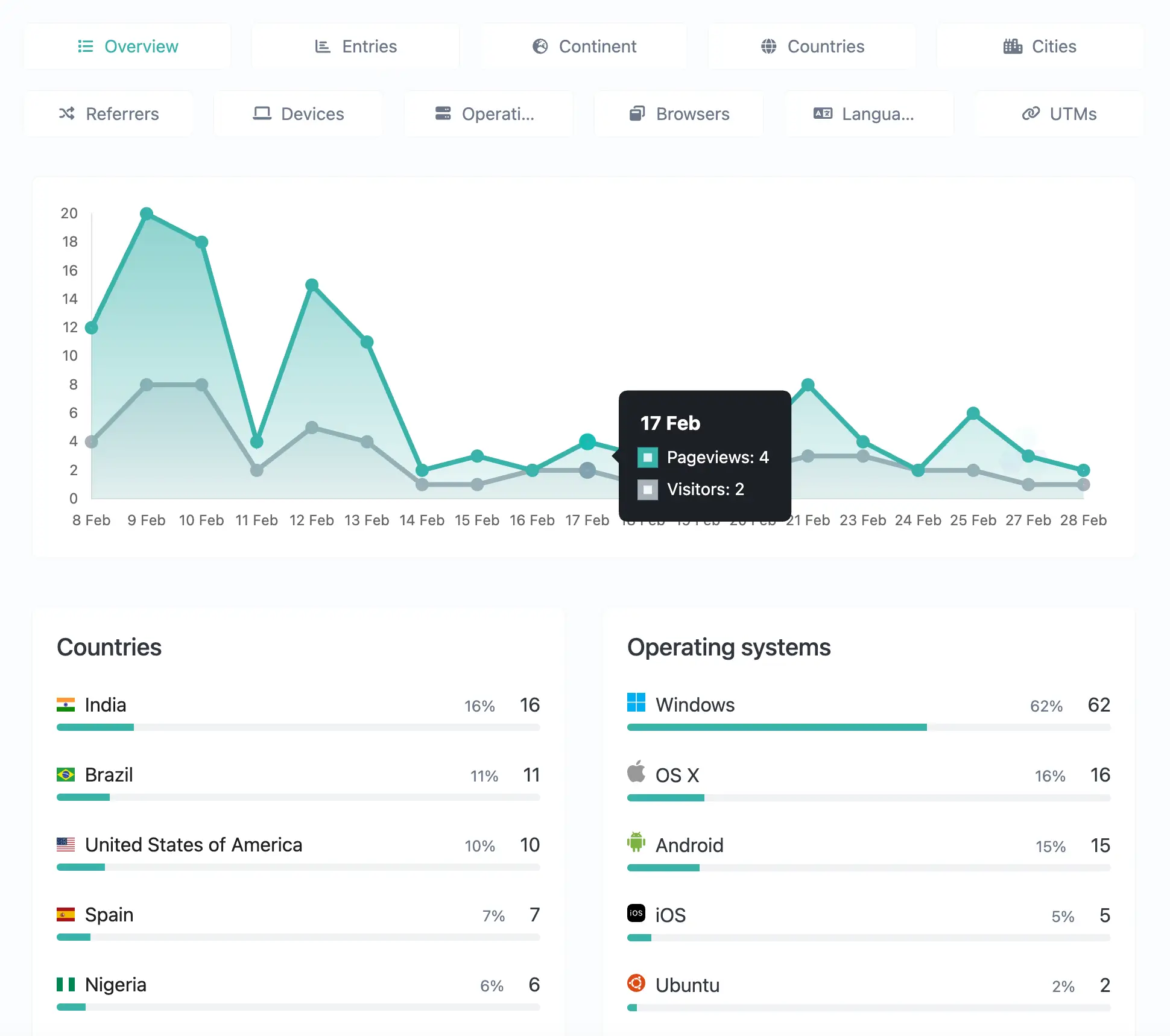
Beyond convenience, a link hub provides data. Static URLs offer no insight into who is clicking or what they are interested in. A dynamic link hub tracks clicks, allowing you to see which content drives the most engagement. This data is essential for refining your strategy on platforms where attention spans are short and competition is fierce.
Set up your link hub
- Choose a platform. Select a link-in-bio tool that integrates with your analytics needs. Popular options include Linkin.bio, MobiloCard, or Linktree. Ensure the platform allows for custom branding to match your aesthetic.
- Add your primary links. Start with 3-5 high-priority destinations. These should be your newest content, a lead magnet, or a key product. Avoid overwhelming visitors with too many choices immediately.
- Customize the layout. Use clear labels and consistent formatting. On Instagram and TikTok, visual clarity is paramount. Ensure buttons are large enough to tap easily on mobile devices.
- Update the bio URL. Replace the single static URL in your Instagram and TikTok profiles with the new link hub URL. Do this simultaneously on both platforms to ensure consistency.
Research and choose a link-in-bio tool that fits your needs. Consider features like analytics, customization, and integration with other social tools. Platforms like Linkin.bio or MobiloCard are common choices for creators.

Design your landing page with clear, concise buttons. Prioritize the links you want to drive the most traffic to. Keep the design clean and aligned with your brand identity to maintain trust.

Update the URL in your Instagram and TikTok bios. Test the links to ensure they work correctly on mobile devices. Monitor initial click-through rates to gauge audience interest.
Structure your landing page for clarity
Your bio link is a digital storefront. If the layout is cluttered, visitors leave before clicking. The goal is to reduce choice overload by organizing links logically and guiding attention to one primary action. Treat the landing page like a funnel: top for awareness, middle for consideration, and bottom for conversion.
Start with a single, dominant Call to Action (CTA). This should be the link you want users to click most—whether that’s a new product drop, a newsletter signup, or a booking page. Place it at the very top, above the fold. Use benefit-driven copy instead of generic labels like "Click Here." For example, "Get the Free Template" outperforms "Download" because it tells the user exactly what they gain.
Below the primary CTA, group remaining links into clear sections. Categorize by topic, such as "Recent Work," "Services," or "Resources." This helps users scan quickly without feeling overwhelmed. Limit the total number of visible links to five or six. If you have more, use dropdowns or secondary pages.
| Button Copy | User Perception | Expected Outcome |
|---|---|---|
| Click Here | Vague, transactional | Low CTR |
| Get the Free Template | Specific, value-driven | High CTR |
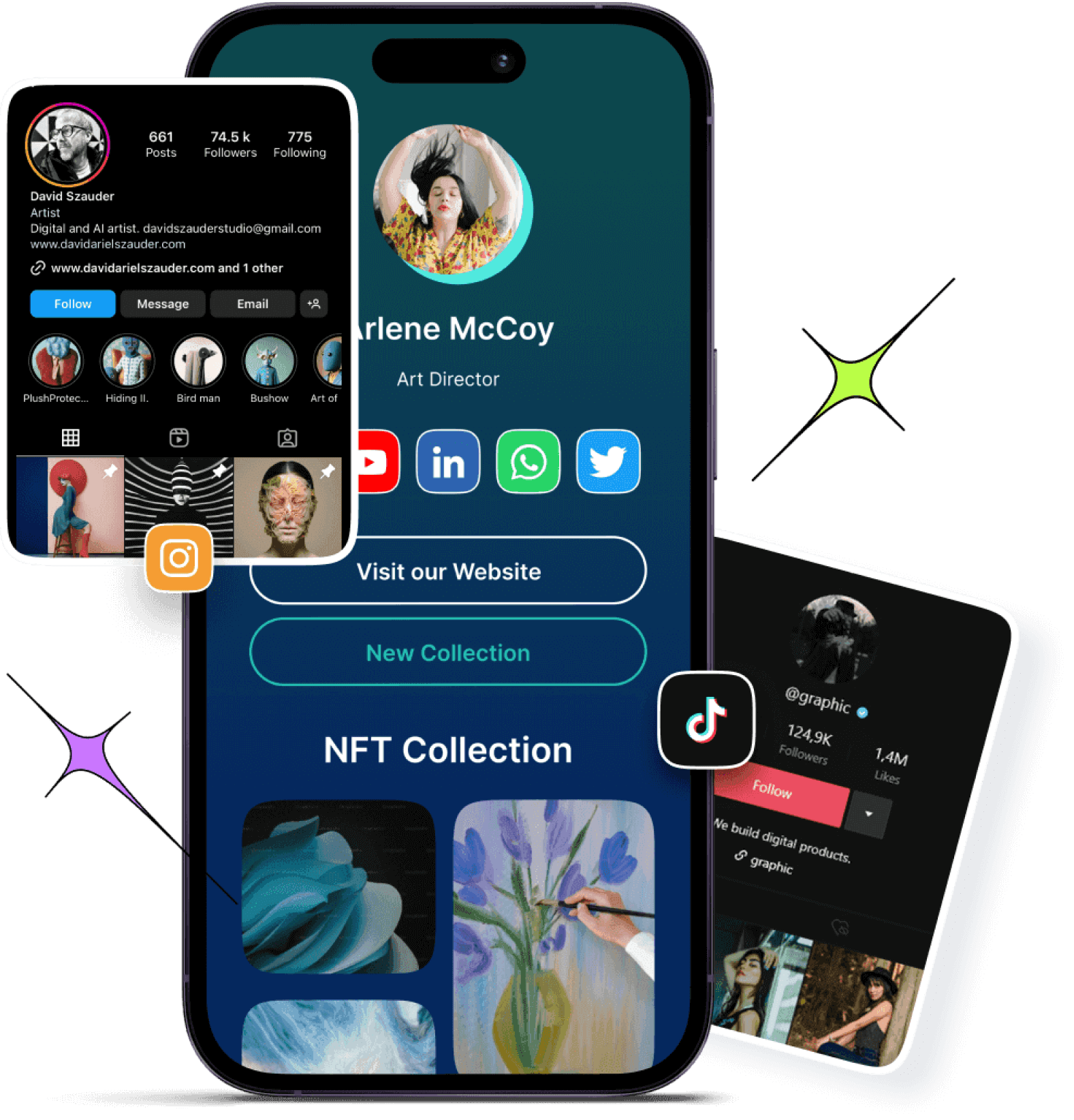
Use the image below as a reference for a clean, mobile-first layout. Notice how the primary CTA stands out visually, while secondary links are grouped neatly below. This structure aligns with best practices for boosting bio link CTR by minimizing friction.
Track clicks with UTM parameters
Bio links are dead ends without tracking. You need to know which platform drives actual value. UTM parameters append tags to your URLs so analytics tools can separate traffic from Instagram, TikTok, and other sources.
This data tells you where to focus your content strategy. It turns guesswork into a measurable growth loop.
Start with your destination link. This is the final page you want users to reach, such as your latest product drop or newsletter signup.

Append ?utm_source= to identify the platform. Use instagram for Reels or TikTok for short-form videos. This is the primary identifier for your traffic origin.

Add &utm_medium=social to categorize the traffic type. This groups your bio link clicks with other social media activity in your analytics dashboard.
Use &utm_campaign= to label the specific post or series. Use simple labels like summer-sale or tutorial-march to track performance over time.
Build these strings in a spreadsheet before you post. Consistency is critical; if you change the campaign name halfway through, your data splits and becomes useless. Most analytics platforms, including Google Analytics, automatically recognize these standard UTM keys.
Update your bio link weekly. Static links rot quickly. Use a link management tool that supports UTM tracking natively if you manage multiple platforms. This keeps your dashboard clean and your attribution accurate. Your Social Team recommends tracking these parameters to understand what content actually converts.
Align bio link strategy with platform rules
A single hub link cannot function the same way on Instagram and TikTok. Each platform enforces different technical constraints and user expectations. Treating them as identical channels will cost you clicks. You must adapt the presentation of your bio link to fit the specific rules of each app.
Instagram allows you to place a clickable link in your profile bio. This is a static destination that lives alongside your visual grid. Users click through to your hub from a profile page that is heavily visual. The experience is deliberate. Visitors are often browsing your content before they decide to click. Your link needs to offer a clear, immediate value proposition that matches the aesthetic of your posts.
TikTok operates differently. For most accounts, the link in bio is only accessible after you reach 1,000 followers. Even then, the link is often buried in a profile that is dominated by short-form video. The user's attention span is shorter, and the context is more transient. If you have a link, it must be promoted heavily within your video content itself. You cannot rely on passive profile visits. You must drive traffic actively through calls to action in your videos.
The solution is a flexible hub page. Build a landing page that loads quickly on mobile and displays content in a way that works for both audiences. Use clear, large buttons for TikTok users who are in a hurry. Use more visual cues and context for Instagram users who are already engaged with your brand. Test both layouts to see which converts better.
Audit and update links monthly
Treat your bio link page like a storefront window. If the displays are stale or the doors are jammed, visitors leave. A monthly maintenance routine keeps your Instagram and TikTok traffic converting.
Use a broken link checker to scan every URL in your bio link tool. Fix or remove any that return 404 errors. Dead links kill trust and waste the clicks you worked hard to generate.
Look at your analytics. Identify the links getting the most clicks and the ones that are underperforming. Swap out low-traffic links for new, relevant content or promotions.
Update your call-to-action copy to match current campaigns. Ensure your landing pages are mobile-friendly and load quickly. A fast, clear experience keeps visitors engaged.
Keep a running checklist to stay on track. This simple habit ensures your bio link remains a reliable conversion tool rather than a digital graveyard.
Common questions about bio links
You can optimize your bio link by replacing a single static URL with a bio link tool like Linkin.bio by Later or a custom landing page. This lets you organize multiple destinations and track which links drive traffic. Use UTM parameters to measure performance in your analytics dashboard, and update the links regularly to match your current content or promotions.
The best link in bio depends on your immediate goal. If you are launching a product, link directly to the checkout. If you are growing your email list, link to a lead magnet. For general brand awareness, a multi-link hub like Linktree works best because it reduces friction and lets users choose what interests them.
To make a bio link clickable, ensure it starts with http:// or https://. Instagram and TikTok bios do not auto-format plain text URLs; you must paste the full web address. If you are using a custom domain, verify it in your account settings to avoid redirect errors or broken links.
No comments yet. Be the first to share your thoughts!