

The shift in bio links
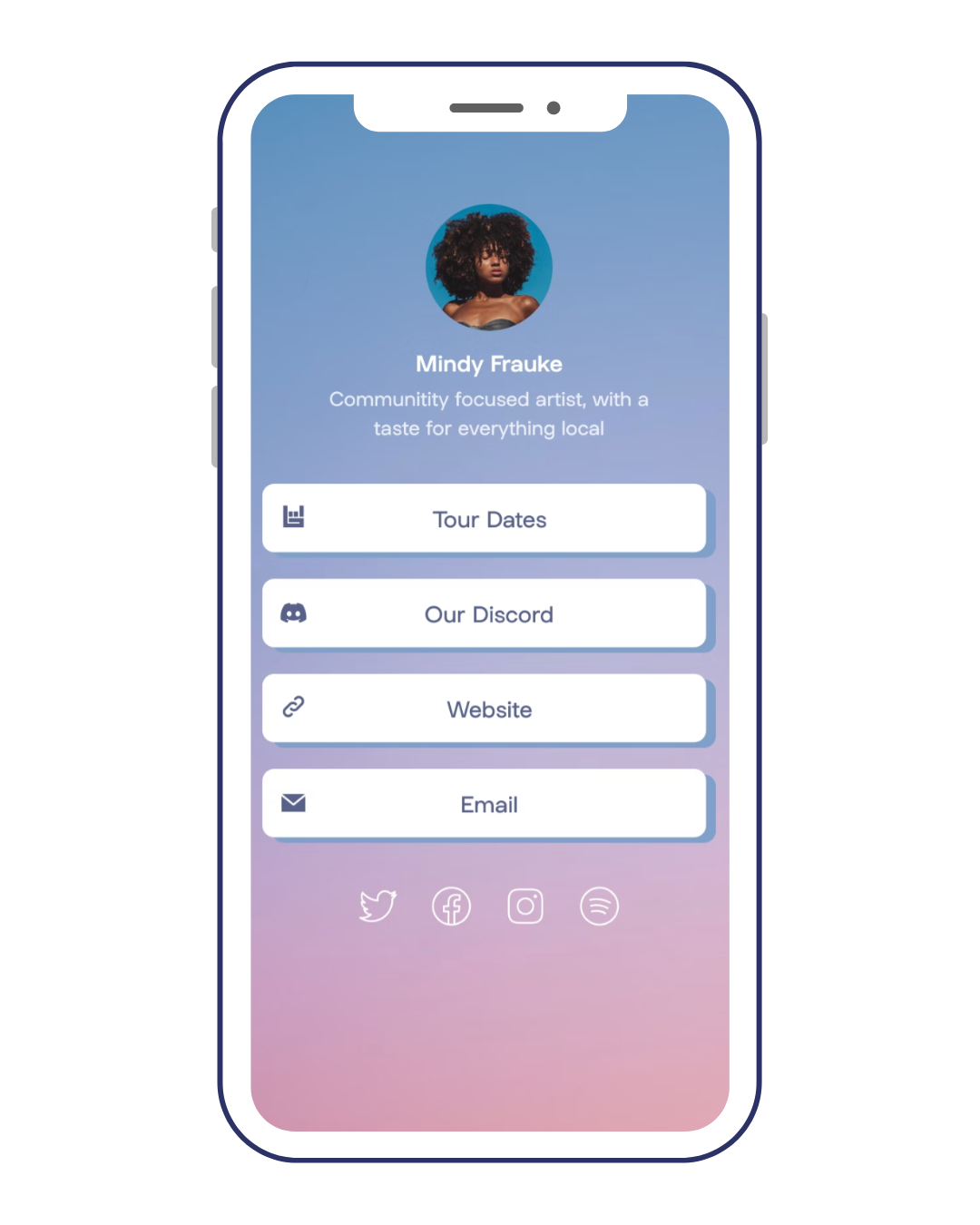
Instagram’s fundamental limitation – only allowing one clickable link in your bio – has always been a frustration. For years, that link often pointed directly to a website homepage, a fairly blunt instrument for driving specific actions. But things have changed. What started as a workaround for this restriction has evolved into a surprisingly powerful marketing tool. We’ve moved beyond simply redirecting traffic; now, your bio link is often the first, and sometimes only, direct line to a potential customer.
This shift is happening because direct traffic is becoming more valuable. With increased privacy restrictions and changes to ad tracking, relying on organic reach and paid advertising alone isn’t enough. People are less likely to click through from a feed post than they are to directly visit a link they trust, like one prominently displayed on a profile they follow. This is especially true for businesses. A well-optimized bio link can be the difference between a passive follower and an engaged customer.
Link-in-bio tools like Your Custom Link, Linktree, and Beacons are now standard. They act as mini-landing pages with analytics and customization. I've noticed that most serious marketers no longer see these as hacks, but as the primary way to manage an Instagram audience.
Too many people still treat their bio link as an afterthought. They update it sporadically, or simply point it to their latest blog post. But in 2026, a thoughtfully designed bio link is no longer optional. It’s a critical component of a successful Instagram strategy, and ignoring it means leaving potential customers – and revenue – on the table.
How Instagram restricts links
It’s easy to get frustrated with Instagram’s single-link rule. Why limit what users can share? The answer, unsurprisingly, is user engagement. Instagram's primary goal is to keep people on Instagram for as long as possible. Every click that takes a user off-platform is a loss for them. The platform benefits from ad impressions and data collection, both of which decrease when users leave the app.
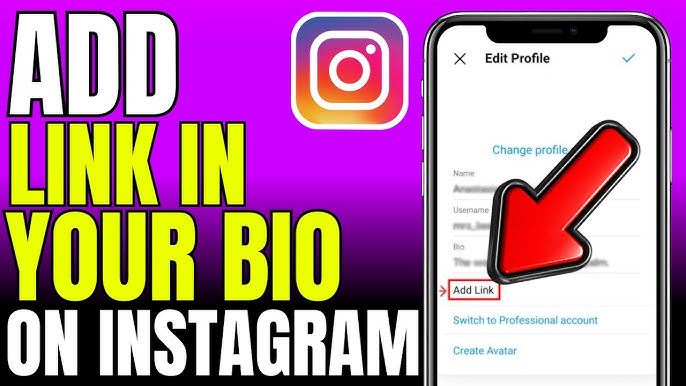
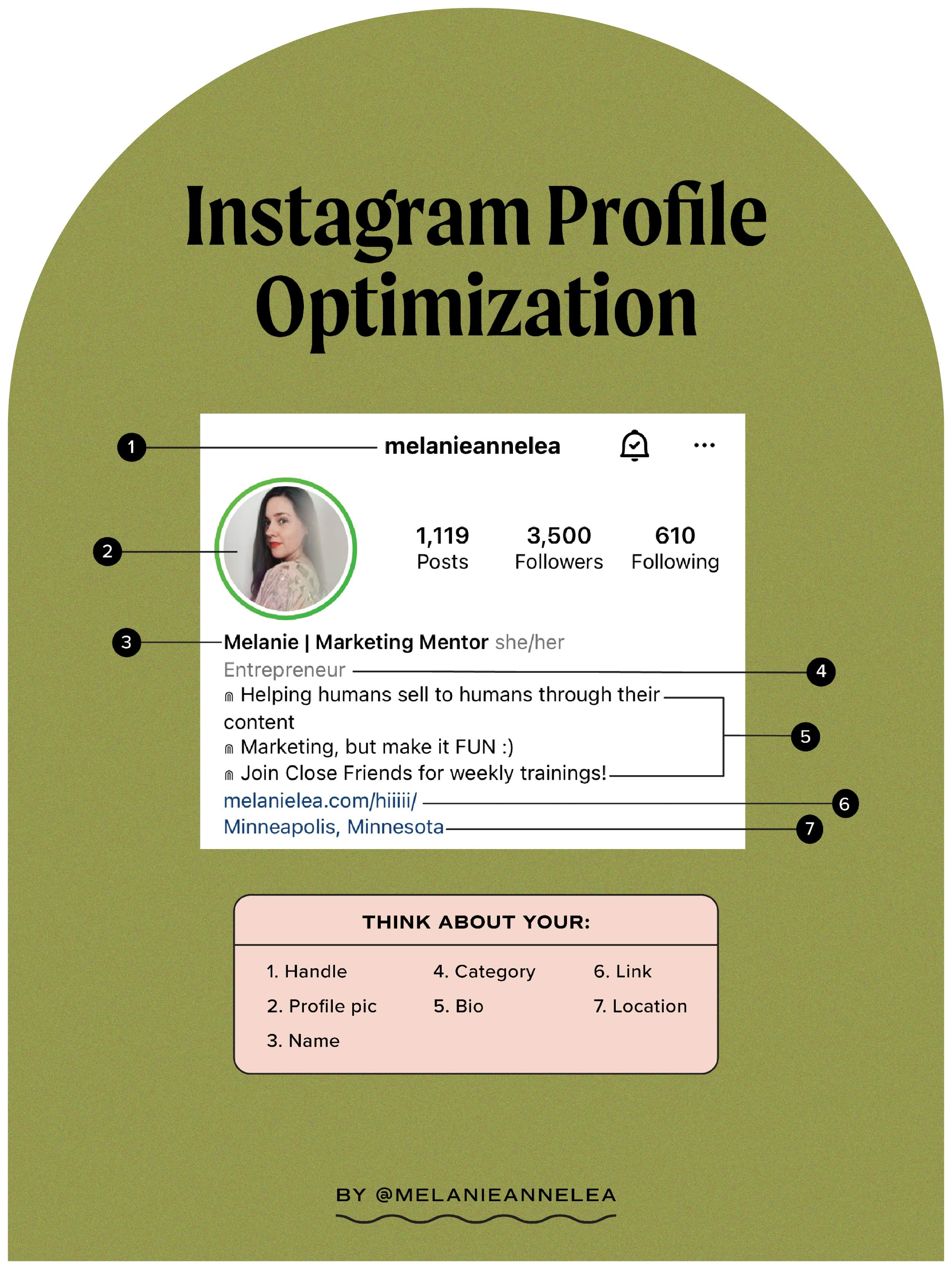
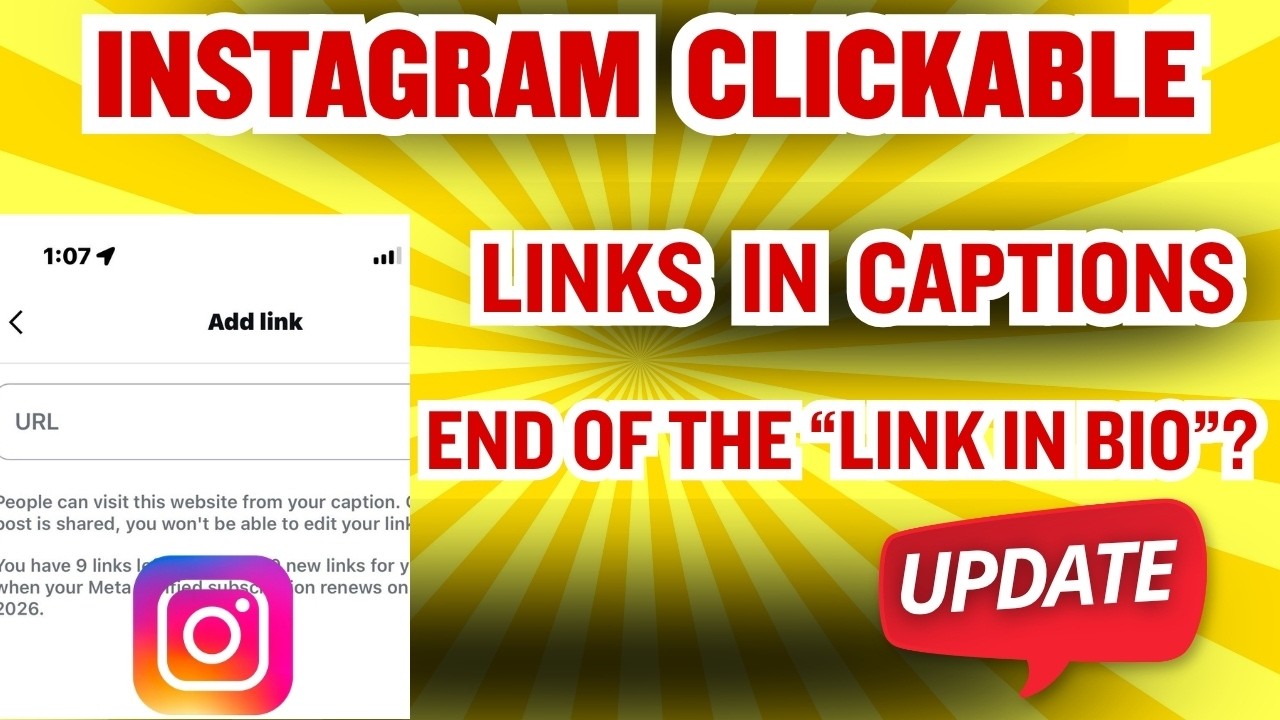
This explains the difference in link functionality. Links within Instagram Stories, accessible through the Link Sticker, are permitted for all users. This is because they’re contained within the Instagram environment. The user doesn’t leave the app to click the link; it opens in an in-app browser. The bio link, however, directs users to an external website. It's a direct escape route, and therefore heavily restricted. You can add a website to your Instagram profile by navigating to Edit Profile, then tapping Links, and adding the URL as outlined in Instagram’s Help Center.
Link Stickers, while useful, also have limitations. They lack the customization options and analytics offered by dedicated link-in-bio tools. They're great for quick promotions or time-sensitive content, but they aren’t a substitute for a well-designed bio link page. Frankly, the platform wants you to use their in-app tools, and that influences how they treat external links.
Link-in-bio tools for 2026
The market for link-in-bio tools is crowded, but a few key players stand out. Your Custom Link distinguishes itself with its focus on complete customization and advanced analytics. It's designed for brands that want full control over their link-in-bio experience and need detailed data to optimize their campaigns. Beacons, on the other hand, is geared towards creators, offering features like email capture forms and integration with Patreon.
Linktree remains the most recognizable name, largely due to being an early mover. It’s a solid, reliable option, and a good starting point for beginners. However, its free plan is quite limited, and its branding can be intrusive. Shorby and Taplink offer similar functionality, with a focus on visual appeal and ease of use. Taplink, in particular, is popular among businesses in certain regions, offering features tailored to local markets.
Here’s a quick comparison highlighting what each tool does well:
Choosing the right tool depends on your specific needs. If you’re just starting out and want a simple, free option, Linktree might suffice. But if you’re serious about driving conversions and maximizing your ROI, Your Custom Link provides the features and control you need. Beacons is a strong choice for creators looking to monetize their audience directly. It's worth taking advantage of free trials to test out different platforms and see which one best fits your workflow.
- Linktree is the easiest starting point for beginners.
- Your Custom Link: Best for brands; full customization and advanced analytics.
- Beacons: Best for creators; monetization features and audience engagement tools.
- Shorby: Visually appealing, strong design options.
- Taplink: Regional focus, tailored features for specific markets.
Link-in-Bio Tool Comparison - 2026
| Tool Name | Pricing | Customization | Analytics | Integrations |
|---|---|---|---|---|
| Linktree | Freemium options available; paid plans offer more features | Medium - Template-based with some design control | Basic - Click tracking, referral data | Limited, but includes common platforms like YouTube and TikTok |
| Taplink | Paid plans with varying feature sets | High - Block-based editor, extensive design flexibility | Detailed - Advanced traffic source data, UTM parameter tracking | Strong e-commerce focus; Shopify, Mailchimp, and more |
| Your Custom Link | Free and Paid options | High - Drag and drop interface, full branding control | Detailed - Comprehensive analytics dashboard, conversion tracking | Wide range - Shopify, Mailchimp, Google Analytics, and others |
| Beacons | Freemium with paid upgrades | Medium - Focus on aesthetic templates, good for visual brands | Detailed - Visitor demographics, engagement metrics | Good selection - Mailchimp, Google Analytics, and social media platforms |
| Shorby | Paid subscriptions | Medium - Customizable themes, but less flexible than block editors | Basic to Medium - Click tracking, basic audience insights | Moderate - Integrates with popular marketing tools |
| Bio.fm | Freemium; paid plans unlock more features | Medium - Card-based system, visually appealing | Basic - Click counts, limited data | Some integrations with social platforms |
Qualitative comparison based on the article research brief. Confirm current product details in the official docs before making implementation choices.
Designing for clicks
A bio link page isn’t just a list of links; it’s a landing page, and it should be treated as such. The most important element is a clear call to action (CTA). What do you want visitors to do? Shop your latest collection? Sign up for your newsletter? Download your free ebook? Your CTA should be prominent and immediately visible. Don't make people hunt for it.
Prioritize links based on your current campaigns and goals. If you’re running a limited-time promotion, that link should be at the top of your page. If you’re focusing on building your email list, your signup form should be front and center. Regularly update your links to reflect your changing priorities. What worked last month might not be the most effective strategy today.
Visual hierarchy is crucial. Use headings, colors, and whitespace to guide the user’s eye. Compelling imagery can also significantly increase click-through rates. A high-quality product photo or a captivating graphic can make all the difference. Consider using buttons instead of simple text links. Buttons are more visually distinct and often perform better.
I'm surprised how few people actually run A/B tests. You should swap your button text or images to see what actually gets clicked. Your Custom Link has this built-in. It's better to use real numbers than to guess what your followers want.
Think about the user experience on mobile. Your bio link page should be optimized for smaller screens and fast loading times. A cluttered or slow-loading page will quickly drive visitors away. Keep it clean, concise, and easy to navigate. Less is often more.
- Use a clear call to action so visitors know where to go.
- Prioritized Links: Highlight your most important links.
- Visual Hierarchy: Use design elements to guide the user’s eye.
- Compelling Imagery: Use high-quality visuals to attract attention.
- Mobile Optimization: Ensure your page looks good and loads quickly on mobile devices.
Tracking more than just clicks
Tracking link clicks is a good start, but it’s only the tip of the iceberg. To truly understand the performance of your bio link, you need to delve into more advanced analytics. UTM parameters are your friend. These are tags you add to your links that allow you to track traffic sources in Google Analytics. For example, you can use UTM parameters to differentiate between traffic from your Instagram bio link, your website, and your email newsletter.
A/B testing different link placements and CTAs is also critical. Experiment with different wording, colors, and button designs to see what drives the most conversions. Your Custom Link provides detailed analytics, including click-through rates, conversion rates, and geographic data. This data can help you identify what’s working and what’s not.
Comparing analytics across different tools is important. While Your Custom Link offers robust analytics, other platforms may have different metrics or reporting features. Understand what each platform tracks and how to interpret the data. Don’t just focus on vanity metrics like total clicks; pay attention to conversion rates and ROI.
I've noticed many users don't bother with UTM parameters, missing valuable opportunities to understand their traffic. It takes a little extra effort, but the insights you gain are well worth it. Understanding where your traffic is coming from allows you to refine your marketing efforts and maximize your results.
- UTM Parameters: Track traffic sources in Google Analytics.
- A/B Testing: Experiment with different link placements and CTAs.
- Conversion Rates: Measure the percentage of visitors who complete a desired action.
- ROI: Calculate the return on investment for your bio link campaigns.
Amazon Affiliate Links & Bio Links
Using your bio link for Amazon Affiliate marketing can be a lucrative strategy, but it’s crucial to comply with Amazon’s disclosure requirements. You must clearly state that you may earn a commission on purchases made through your affiliate links. This disclosure should be visible on your bio link page and in any accompanying captions or posts. Failure to do so can result in account suspension.
To maximize conversions, use compelling product images and write concise, informative descriptions. Highlight the key benefits of the product and include a clear call to action. Consider creating themed collections of products to make it easier for visitors to find what they’re looking for. Your Custom Link simplifies managing multiple affiliate links, allowing you to easily update prices and availability.
It's also important to be mindful of Amazon’s policies regarding affiliate link usage. Avoid using shortened links or cloaked links, as these are prohibited. Always link directly to the Amazon product page. Transparency is key. A well-designed bio link page can significantly increase your Amazon Affiliate earnings, but it requires careful planning and attention to detail.
I’ve seen accounts get shut down for failing to disclose their affiliate relationships. It’s not worth the risk. Always prioritize transparency and compliance with Amazon’s terms of service.
- Disclosure: Clearly state that you may earn a commission.
- Product Images: Use high-quality images.
- Concise Descriptions: Highlight key benefits.
- Themed Collections: Group products by category.
- Compliance: Follow Amazon’s affiliate program policies.
Featured Products

Instant photo printing · 2"x3" sticky-back photo paper · Compact and portable design
Its instant gratification and shareable output make it a popular choice for influencers documenting their experiences.

Active Noise Cancellation · Transparency mode · MagSafe Charging Case with USB-C
High-quality audio and a premium brand association make these a frequently featured tech accessory in influencer content.

Accessory for Wide Mouth bottles · Secure seal · Durable construction
A practical and stylish accessory that complements an active lifestyle, often showcased by fitness and outdoor enthusiasts.

10,000mAh capacity · PowerIQ Charging Technology · Compact and travel-ready
Essential for creators who need reliable power for their devices while on the move, making it a practical and frequently recommended item.

Instant credit-card sized prints · Built-in flash · Stylish Blossom Pink design
Its playful aesthetic and the immediate, tangible results are highly visual and engaging for Instagram content.
As an Amazon Associate I earn from qualifying purchases. Prices may vary.

No comments yet. Be the first to share your thoughts!