

Choose the right link tool
Your link-in-bio tool is the bridge between your social traffic and your actual offer. A broken or generic link kills conversion rates before the user even lands on your page. You need a platform that handles custom domains, tracks clicks precisely, and integrates with your marketing stack.
The market splits into two categories: simple URL shorteners and comprehensive link-in-bio platforms. Shorteners like Bitly focus on clean, trackable redirects. Link-in-bio tools like Linktree or Beacons focus on aggregation, letting you host multiple links on one page. For most creators and businesses, a custom domain shortener is the better starting point because it builds brand trust.
When comparing options, look for these three non-negotiable features: custom domain support (so your link looks like link.yourbrand.com), detailed analytics (to see which specific clicks drive revenue), and API access (for automating link updates). Avoid tools that lock these features behind expensive enterprise plans if you are just starting out.
| Feature | Bitly | Short.io | Linktree |
|---|---|---|---|
| Custom Domain | Yes (Paid) | Yes (Free Tier) | No |
| Analytics Depth | Advanced | Standard | Basic |
| Multi-Link Page | No | No | Yes |
| Pricing Model | Freemium | Freemium | Freemium |
Bitly remains the industry standard for branded short links, offering robust tracking and enterprise-grade security. Short.io provides a compelling free tier for custom domains, making it ideal for small businesses. Linktree is best if you need a landing page with multiple buttons rather than a single redirect.

As an Amazon Associate, we may earn from qualifying purchases.
Create and customize your URL
Building a custom link for Instagram and TikTok starts with choosing a reliable URL shortener that supports branded domains. Services like TinyURL or Canva’s shortener allow you to replace generic, unrecognizable strings with a personalized domain. This step is foundational because a branded link builds trust and signals that your content is professional and secure.
Select your branded domain
The first decision is the domain name itself. If you already own a personal or business domain, connecting it to a shortening service is the most effective route. It keeps the link consistent across your Instagram bio and TikTok profile. If you do not have a custom domain, use the default domain provided by your chosen service but ensure it is reputable.
Define a clear, descriptive slug
The slug is the part of the URL that follows the domain (e.g., yourdomain.com/summer-sale). Avoid random characters or overly long phrases. A good slug is short, easy to type, and clearly indicates what the user will find on the other end. Think of the slug as a digital business card: it should be memorable and relevant to the specific campaign or content piece you are promoting.
Set the destination URL
Finally, input the full destination URL where you want the traffic to go. This could be a landing page, a product page, or a specific article. Double-check this link before saving, as broken links are the fastest way to lose audience trust. Once saved, test the custom link on both mobile and desktop devices to ensure it redirects correctly to your intended destination.
Place the link in social bios
Your custom link is useless if followers can’t find it. Both Instagram and TikTok require you to manually paste the URL into your profile settings. This is a one-time setup, but it is the only place on your profile that serves as a permanent gateway to your website, store, or lead magnet.
Instagram bio setup
Navigate to your profile and tap Edit Profile. Scroll down to the Links section. You will see a field labeled Website. Paste your custom link here. Instagram allows you to add up to five links, but for clarity, stick to your primary custom link for this initial setup.
Once pasted, tap Done in the top right corner. The change is immediate. You do not need to republish your profile. Visitors will now see the link at the bottom of your grid.
TikTok bio setup
Open the TikTok app and go to your profile. Tap Edit Profile. Look for the Website field. Paste your custom link into this box. TikTok may require you to verify your email or phone number before enabling the website field if you are on a personal account.
After pasting, tap the checkmark to save. Your link will appear directly under your bio text. Note that TikTok does not allow clickable links in video captions or comments, making the bio link your only direct outbound path.
Link Stickers for Stories
While the bio link is permanent, Link Stickers offer a temporary, high-visibility option for Stories. When posting a Story, tap the sticker icon and select Link. Paste your custom URL here. You can customize the sticker text to say something actionable, like "Shop Now" or "Read More."
Link Stickers appear as distinct buttons on your Story. They are highly effective for driving traffic during product launches or time-sensitive campaigns. However, they disappear after 24 hours, so always keep your bio link updated as the primary destination.
Track clicks and optimize
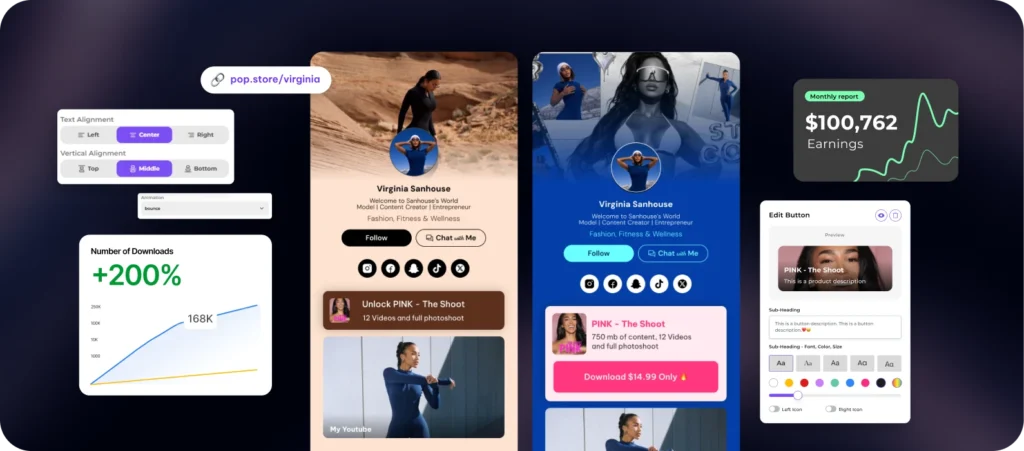
A custom link is only as good as the data it generates. Without tracking, you are guessing where your audience goes. Use the analytics dashboard in your link shortener to monitor performance. Most platforms, like Hovercode, provide real-time engagement data for dynamic links and QR codes.
Focus on the click-through rate (CTR) to measure initial interest. Look at the conversion data to see how many users complete the desired action, such as a purchase or sign-up. If traffic is high but conversions are low, the issue likely lies in the landing page, not the link itself.
A/B test link placements
Test different positions to see what drives the most clicks. Place the custom link in your Instagram bio, then move it to your TikTok video captions or pinned comments. Compare the performance metrics over a two-week period. This simple experiment reveals which platform or placement resonates with your specific audience.
Adjust your strategy
Use the data to refine your approach. If TikTok drives more clicks but Instagram drives more sales, prioritize Instagram for high-value offers. Keep a record of these insights to inform future campaigns. Consistent tracking ensures your custom link strategy evolves with your audience's behavior.
Common bio link mistakes
Even with the right tool, a custom link fails if the destination experience is broken. Users clicking from Instagram or TikTok expect speed and clarity. When they encounter clutter or errors, they leave immediately.
Broken redirects and long URLs
A custom link should resolve instantly. If your redirect chain is too long or the destination page returns a 404 error, you lose the click before it counts. Avoid pasting raw, unshortened URLs into your bio. These are hard to read, look unprofessional, and often get truncated on mobile screens. Use a reliable URL shortener to create clean, trackable links that redirect properly. Test every link across different devices before publishing.
Cluttered landing pages
Your custom link should lead to a focused destination. A landing page packed with unrelated links, pop-ups, or dense text confuses visitors. Keep the page simple: one clear call to action, minimal navigation, and fast load times. If you need to share multiple resources, use a dedicated link-in-bio tool that organizes them cleanly rather than dumping everything on a single chaotic page.

Unbranded or generic links
Using a default shortener domain like bit.ly or rb.gy looks temporary and untrustworthy. A custom domain reinforces your brand identity every time someone sees the link in your bio or in comments. It signals that you are established and serious about your online presence. Set up a custom domain early so it becomes part of your standard operating procedure.
-
Test all redirects on mobile and desktop
-
Ensure the landing page loads in under 3 seconds
-
Verify the custom domain displays correctly
-
Check that the primary call-to-action is visible without scrolling
Frequently asked: what to check next
Do custom links work on both Instagram and TikTok?
Yes, a custom link functions as a standard HTTP or HTTPS redirect on both platforms. Once you set up a branded short URL using a service like Bitly or Short.io, it directs users to your target page regardless of where it is shared. The link behaves identically in an Instagram bio or a TikTok profile, provided the destination URL is valid and accessible.
How do I track clicks and engagement?
Custom links provide analytics because they route traffic through a tracking server before redirecting. Services such as Bitly and Short.io record metrics like total clicks, geographic location, and device type. This data helps you measure the effectiveness of your social media posts without needing to install additional tracking pixels on your landing page.
Do custom links affect my SEO or site speed?
Custom links do not directly impact your website’s search engine ranking or loading speed. The redirect process adds a negligible amount of latency (typically under 100ms) and uses standard 301 or 302 HTTP status codes, which search engines understand and follow. Your SEO performance remains dependent on the quality and speed of the final destination page, not the short link itself.
Work through Bio Link Strategy

No comments yet. Be the first to share your thoughts!