

The Instagram Bio Link is No Longer Optional
If you're not actively optimizing your Instagram bio link in 2024, you're leaving opportunities – and likely, revenue – on the table. It’s no longer a simple space for a website address. The single link limitation Instagram imposes forces a level of strategy that many still overlook. We’ve moved past the days of just dumping a link to your homepage and hoping for the best.
What started as a simple way to direct followers to external sites has evolved into a mini-landing page, a lead generation tool, and a crucial component of a broader social media optimization strategy. I see so many accounts still treating this space as an afterthought, a place to just stick a URL and forget about it. That’s a huge mistake.
The shift towards conversion-focused strategies is driven by Instagram’s own evolution. As the platform becomes more competitive, and organic reach becomes harder to come by, maximizing the value of every touchpoint – including that single bio link – is essential. It’s about creating a seamless experience that nurtures leads and drives measurable results, not just broadcasting a link.
I’ll walk you through seven proven strategies to transform your Instagram bio link from a digital dead end into a powerful engine for traffic and conversions. These are tactics that are working for brands right now.
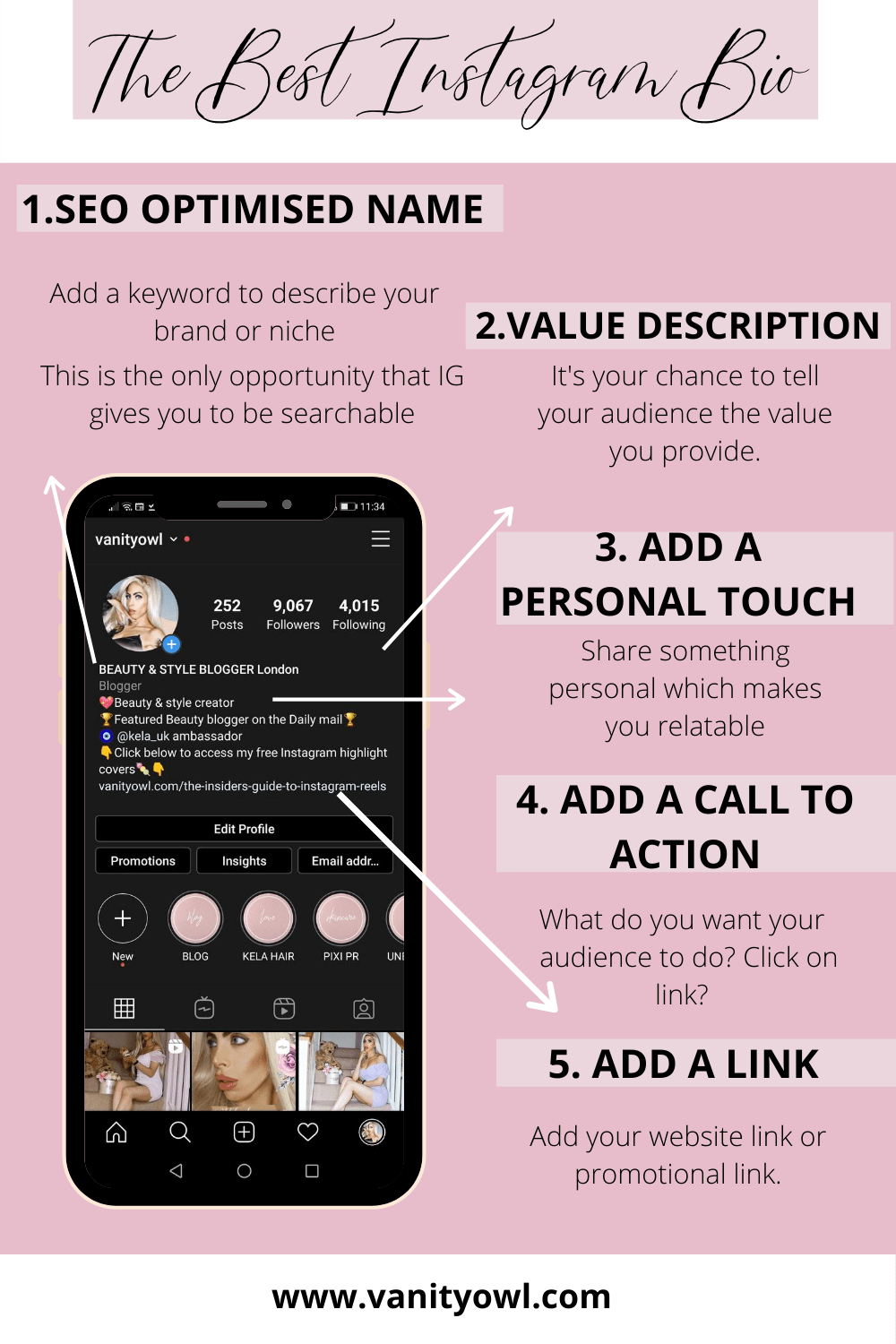
Beyond the Basics: Integrating Native Instagram Features
Your bio link doesn't operate in isolation. It's part of Instagram's ecosystem. Leveraging native features – Stories Link Stickers, Reels with link stickers (if you have access), and Instagram Shopping tags – can significantly boost traffic to your bio link.
The key is strategic integration. Use Stories Link Stickers to tease content that lives on your link-in-bio page. For example, if you’ve created a blog post with a detailed guide, create a Story highlighting a key takeaway and then direct viewers to "Read More at the link in bio.’ Don"t just blanket everything with a link sticker, though; that gets annoying fast. Focus on promotions, timely content, and value-added resources.
Instagram Shopping tags are also powerful. If you're selling products, tagging them in your posts and Stories and then directing people to a dedicated shopping page via your bio link creates a clear path to purchase. This connects discovery and conversion. Where possible, track clicks on these native features to understand what’s driving the most traffic.
I’ve seen accounts increase their bio link clicks by 20-30% simply by consistently promoting it within their Stories and Reels, using engaging visuals and compelling copy. This simple tactic is often overlooked.
Link Aggregation Tools: Shorby vs. Pallyy and Others
Manually updating your bio link with each new campaign is incredibly inefficient. Link aggregation tools solve this. They allow you to create a mobile-optimized landing page with multiple links, analytics, and customization options. Two tools consistently stand out: Shorby and Pallyy.
Shorby is designed for Instagram. It excels at creating visually appealing link-in-bio pages and offers robust analytics focused on Instagram traffic. It's a good choice if Instagram is your primary social media platform. Pricing starts around $19 per month for basic features.
Pallyy, on the other hand, is an all-in-one social media management platform that includes a powerful bio-link feature. It's suitable if you manage multiple social media accounts and want a centralized solution. Pallyy's pricing starts around $29 per month. It's more expensive, but the added functionality can be worth it for larger teams.
Other tools like Linktree and Taplink are popular, but I find them less flexible and offering fewer advanced features. Linktree, in particular,r, can feel cluttered with branding. Shorby and Pallyy provide a more polished and professional experience for your followers. Consider your needs and budget. If you're serious about maximizing your bio link's potential, I recommend investing in one of these two platforms.
- Shorby: $19/month (basic), Instagram-focused, strong analytics
- Pallyy: $29/month (basic), all-in-one social media management, more features
- Linktree: Free (limited), popular but less flexible
- Taplink: $6.99/month (basic), good customization options
Instagram Bio Link Tool Comparison - 2024
| Price (Starting) | Number of Links (Free Plan) | Analytics Depth | Customization Options | Instagram Specific Features |
|---|---|---|---|---|
| $9/month | 1 | Low | Low | No |
| $7.99/month | 5 | Medium | Medium | Yes (Instagram Story Highlights integration) |
| Free (limited) | 1 | Low | Low | No |
| $8.99/month | 3 | Medium | High | Yes (Direct link to Instagram, pop-up forms) |
| $7/month | 2 | Medium | Medium | No |
| $15/month | Unlimited | High | High | Yes (Integration with Instagram Shopping, direct messaging) |
Data sourced from AI research — verify before making decisions
Crafting Calls-to-Action That Actually Convert
This is where many people fall down. Simply saying “click the link in bio” is a recipe for disaster. It’s vague, uninspiring, and blends into the noise. You need to create curiosity and demonstrate value. Think about why someone should click your link.
Instead of generic instructions, try engagement-driven CTAs. For example, “Double tap if you’re struggling with [problem]! DM me "GUIDE" for a free resource.” This encourages interaction, builds a connection, and directs interested users to your DMs where you can share the link. This strategy works because it feels more personalized and less like a blatant advertisement.
Scarcity and urgency can also be powerful motivators. “Limited spots available! Click the link in bio to register for our workshop.” Or, “Sale ends tonight! Shop now via the link in bio.” Prioritize one clear call-to-action at a time. Don’t overwhelm people with too many options.
Consider your audience and your goals. If you’re promoting a lead magnet, focus on the benefits of downloading it. If you’re selling a product, highlight its unique features and value. A well-crafted CTA can dramatically increase your click-through rate.
The Power of a Branded Domain for Your Bio Link
Using a custom domain for your bio link – something like yourbrand.link instead of linktree.com/yourbrand – is a small change that makes a big difference in terms of branding and trust. It immediately looks more professional and establishes you as a legitimate business.
A branded domain gives you more control over the user experience. You’re not relying on the branding of a third-party platform. It also offers subtle SEO benefits, even though the impact is minimal. Search engines may perceive a custom domain as more authoritative.
Setting up a custom domain is usually straightforward with most link aggregation tools. Shorby and Pallyy both offer easy integration. You’ll need to purchase a domain name from a registrar like GoDaddy or Namecheap and then follow the instructions provided by your chosen tool.
I strongly recommend investing in a custom domain. It’s a relatively small cost that can significantly enhance your brand image and build trust with your audience. It's a signal that you're serious about your online presence.
- Purchase a domain name: GoDaddy, Namecheap, Google Domains
- Connect to link aggregation tool: Follow instructions provided by Shorby or Pallyy
- Ensure DNS settings are correct: Verify your domain is pointing to the correct servers
Tracking What Matters: Analytics and UTM Parameters
Clicks are vanity metrics. You need to know where your traffic is coming from and what people are doing once they land on your page. That’s where analytics and UTM parameters come in. UTM parameters are tags you add to the end of your links that allow you to track their performance in Google Analytics (or your preferred analytics platform).
A basic UTM parameter string looks like this: `?utmsource=instagram&utmmedium=bio&utmcampaign=springsale`. This tells Google Analytics that the traffic came from Instagram, via your bio link, as part of the spring sale campaign. You can track different campaigns, CTAs, and link destinations using unique UTM parameters.
Key metrics to monitor include click-through rate (CTR), conversion rate, and bounce rate. A high bounce rate suggests that your landing page isn’t relevant to the traffic you’re sending. A low conversion rate indicates that your offer isn’t compelling enough. Use this data to A/B test different CTAs and link destinations.
Don’t rely solely on the analytics provided by your link aggregation tool. While those are useful, Google Analytics offers a more comprehensive view of user behavior. Combine the data from both sources to get a complete picture of your bio link’s performance.
- UTM Parameters: `utmsource`, `utmmedium`, `utmcampaign`, `utmterm`, `utm_content`
- Key Metrics: Click-Through Rate (CTR), Conversion Rate, Bounce Rate
- Analytics Platforms: Google Analytics, Pallyy Analytics, Shorby Analytics
UTM Parameter Implementation for Instagram Bio Links
Proper UTM parameter implementation is crucial for tracking the effectiveness of your Instagram bio link strategy. This code demonstrates how to systematically build tracking URLs that provide detailed analytics data about your bio link performance.
// Example UTM parameter implementation for Instagram bio links
const baseUrl = 'https://yourstore.com/products/spring-collection';

// UTM parameters for tracking Instagram bio link performance
const utmParams = {
  utm_source: 'instagram',     // Traffic source: Instagram platform
  utm_medium: 'bio',          // Medium: Bio link specifically
  utm_campaign: 'springsale', // Campaign: Spring sale promotion
  utm_content: 'productlink'  // Content: Specific link identifier
};

// Function to build complete tracking URL
function buildTrackingUrl(baseUrl, utmParams) {
  const url = new URL(baseUrl);

  Object.keys(utmParams).forEach(key => {
    url.searchParams.append(key, utmParams[key]);
  });

  return url.toString();
}

// Generate final tracking URL
const trackingUrl = buildTrackingUrl(baseUrl, utmParams);
console.log(trackingUrl);
// Output: https://yourstore.com/products/spring-collection?utm_source=instagram&utm_medium=bio&utm_campaign=springsale&utm_content=productlink

// Alternative: Manual URL construction
const manualTrackingUrl = `${baseUrl}?utm_source=${utmParams.utm_source}&utm_medium=${utmParams.utm_medium}&utm_campaign=${utmParams.utm_campaign}&utm_content=${utmParams.utm_content}`;

// UTM parameter breakdown for analytics tracking:
// utm_source=instagram   -> Identifies Instagram as traffic source
// utm_medium=bio        -> Specifies bio link as the medium
// utm_campaign=springsale -> Groups this link under spring sale campaign
// utm_content=productlink -> Distinguishes this specific link from others
Each UTM parameter serves a specific tracking purpose: utm_source identifies Instagram as the traffic origin, utm_medium specifies that traffic came through your bio link, utm_campaign groups related promotional efforts, and utm_content helps distinguish between different links within the same campaign. This systematic approach enables precise measurement of conversion rates and ROI from your Instagram bio link strategy.
Content Rotation and Staying Relevant
A static bio link is a wasted opportunity. Regularly updating it to reflect your current campaigns and promotions is crucial. Think of it as a dynamic extension of your Instagram feed.
Prioritize content based on its performance. If a particular link is driving a lot of traffic and conversions, keep it prominently displayed. If a link is underperforming, remove it or try a different CTA. A content calendar can help you stay organized and ensure that your bio link is always relevant.
Seasonal events, product launches, and limited-time offers are all great reasons to update your bio link. Don’t be afraid to experiment with different content formats and CTAs. What works today might not work tomorrow.
I recommend reviewing your bio link at least once a week, and making adjustments as needed. Staying agile and responsive to your audience’s needs is key to maximizing its potential.
Designing for Conversion: Making Your Bio Link Irresistible
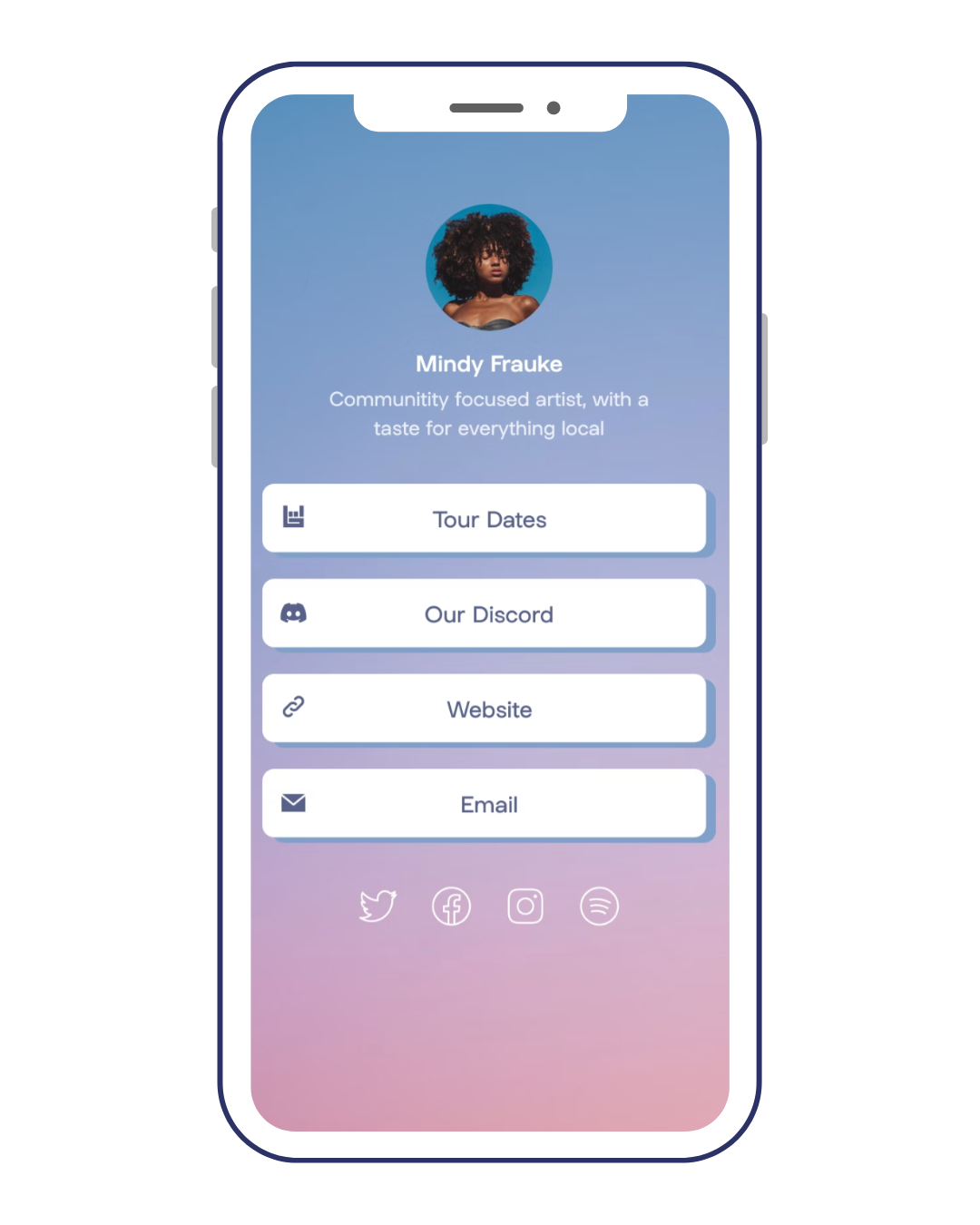
Your link-in-bio page is essentially a mini-website. It needs to be visually appealing, easy to navigate, and optimized for conversion. Start with clear headings and concise descriptions. Tell people exactly what they’ll get when they click on a link.
Use high-quality images that are consistent with your brand aesthetic. A cohesive visual identity builds trust and reinforces your brand message. Ensure your page is mobile-responsive, as most of your traffic will come from mobile devices. Load speed is also critical; slow-loading pages will drive people away.
A clear call-to-action button for each link is essential. Use action-oriented language like “Shop Now,” “Download Now,” or “Learn More.” Consider using lead magnets – free resources like ebooks, checklists, or templates – to incentivize clicks. Offering something of value in exchange for an email address is a great way to build your email list.
Look at examples of successful bio link pages. What do they have in common? They’re all clean, well-organized, and focused on delivering value to the user. Avoid clutter and prioritize simplicity. A well-designed bio link page can significantly increase your click-through rates and conversions.
Instagram Link in Bio 2024: Design a Killer Page for MAX Conversions!
Social Media Growth Hacks
Watch on YouTube →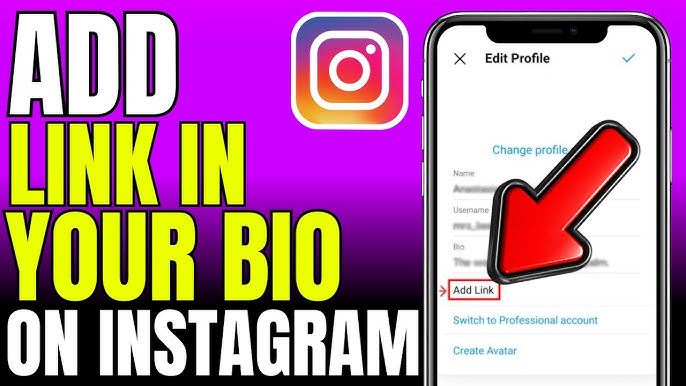

No comments yet. Be the first to share your thoughts!