

Understanding the Importance of Your Instagram Bio Link
Imagine this: you've spent countless hours crafting the perfect Instagram post. The image is stunning, the caption is witty, and you've even included a call-to-action directing your followers to the link in your bio. But then, you start receiving comments that your Instagram bio link is not working. Frustrating, isn't it? This is a common issue that many Instagram users face, but don't worry - we're here to help you understand why this happens and how to fix your Instagram bio link.
First, let's delve into why your Instagram bio link is so crucial. Think of it as the gateway to your online universe. It's the one place on Instagram where you can direct followers to your website, blog, online store, or other social media profiles. It's a powerful tool for driving traffic and conversions, making it essential to ensure it's working correctly.
But what happens when your Instagram bio link is not working? It's like having a shop with its doors locked - your potential customers can't get in, and you're missing out on valuable opportunities. That's why it's critical to regularly check and optimize your Instagram bio link.
But Instagram isn't the only platform where managing your bio link is important. Have you ever wondered how to get a clickable link on TikTok, or how to get a link in your TikTok bio? Just like Instagram, these platforms offer immense potential for driving traffic and conversions, and we're here to guide you through it all.
So, are you ready to unlock the full potential of your social media bio links? Let's dive in and explore how to manage and optimize these crucial elements of your online presence.
Common Reasons Why Your Instagram Bio Link May Not Be Working
Now that we've established the importance of your Instagram bio link, let's delve into some common reasons why your Instagram bio link may not be working. It's a frustrating situation, but understanding the causes can help you find a solution.
One reason could be that Instagram has flagged your link as spam. This can happen if you've been adding and removing links too frequently, or if your website has been reported for violating Instagram's community guidelines. Remember, Instagram is always on the lookout for suspicious activity to protect its users.
Another common issue is that your link is broken or incorrect. This could be due to a typo or an error in the URL. It's easy to overlook, but even a single misplaced character can render your link useless. So, always double-check your links before adding them to your bio.
Lastly, technical issues on Instagram's end could be causing your bio link problems. Instagram, like any other app, can experience glitches and bugs that can affect its functionality. While this is out of your control, it's worth considering if you've ruled out other possibilities.
So, how can you fix your Instagram bio link? Don't worry, we've got you covered. In the next section, we'll walk you through a step-by-step guide to diagnose and fix your Instagram bio link issues. But remember, managing your bio link isn't just about fixing problems. It's also about optimization. Just like you optimize your website for search engines, you should optimize your Instagram bio link for better visibility and performance.
And it's not just Instagram. Whether you're trying to get a clickable link on TikTok or manage your bio links across various social media platforms, we're here to help. Stay tuned for our ultimate bio link optimization guide, 'Your Custom Link'. It's time to unlock the full potential of your social media bio links!
Understanding the Issue: Why Your Instagram Bio Link May Not Be Working
Ever wondered why your Instagram bio link may not be working? You're not alone. This is a common issue many users face, and it can be a real roadblock when you're trying to optimize your Instagram bio link. But don't worry, we've got you covered. In this comprehensive guide, we'll delve into the reasons behind this issue and provide practical solutions to fix your Instagram bio link.
Imagine this: You've crafted a compelling Instagram bio, carefully selected your profile picture, and you're ready to share your website or latest blog post with your followers. You paste the link into your bio, hit save, and.. nothing. The link isn't clickable. It's frustrating, isn't it?
There could be several reasons why your Instagram bio link isn't working. Perhaps it's an issue with Instagram's algorithm, or maybe the URL you're trying to share is too long or contains special characters that Instagram doesn't recognize. Or, it could be as simple as a temporary glitch in the system. Whatever the case, it's essential to understand the problem before you can fix it.
But that's not all. We're also going to show you how to get a clickable link on TikTok, another popular social media platform. Ever wondered how to get a link in your TikTok bio? Or how to get a clickable link in your TikTok bio? We'll answer all these questions and more. So, stay tuned and get ready to make the most of your social media presence.
Remember, a functional and optimized bio link is more than just a URL. It's a gateway to your online world, a way for your followers to explore what you have to offer. So, let's dive in and ensure your bio links are working across platforms, from Instagram to TikTok.
Step-by-Step Guide: How to Fix Your Instagram Bio Link
Now, let's dive into the step-by-step guide on how to fix your Instagram bio link. Remember, the goal is not only to resolve the issue but also to optimize your Instagram bio link for better visibility and performance.
Firstly, if Instagram has flagged your link as spam, you need to appeal to Instagram's support. You can do this by going to your profile, tapping on the menu icon, selecting 'Settings', then 'Help', and finally 'Report a Problem'. Explain your situation and wait for their response.
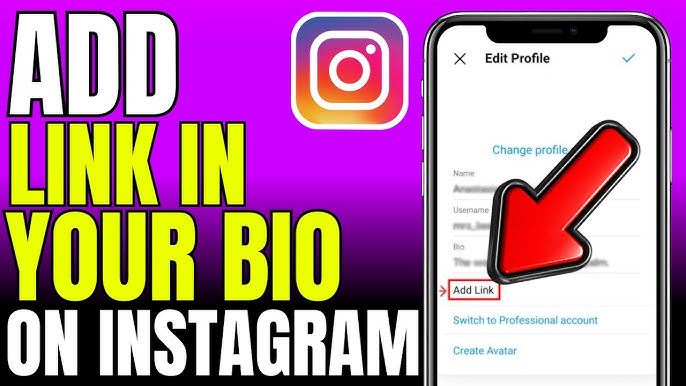
Secondly, if your link is broken or incorrect, the solution is simple. Go to 'Edit Profile' and carefully re-enter your website URL in the 'Website' field. Double-check for any typos or errors. A single misplaced character can make all the difference.
Lastly, if you suspect a technical glitch on Instagram's end, try uninstalling and reinstalling the app. This can often resolve minor bugs and glitches. If the problem persists, report the issue to Instagram as described above.
Once you've fixed your Instagram bio link, it's time to optimize it. Remember, a well-optimized bio link can significantly enhance your visibility on Instagram. Use a URL shortener to make your link more appealing, and consider using a link management tool like 'Your Custom Link' to manage and optimize your bio links across various social media platforms.
But what if you could prevent these bio link issues on Instagram in the first place? In the next section, we'll share some proactive measures to prevent bio link issues on Instagram. Stay tuned!
Remember, managing your bio link isn't just about fixing problems. It's also about optimization. Just like you optimize your website for search engines, you should optimize your Instagram bio link for better visibility and performance. And it's not just Instagram. Whether you're trying to get a clickable link on TikTok or manage your bio links across various social media platforms, we're here to help. Stay tuned for our ultimate bio link optimization guide, 'Your Custom Link'. It's time to unlock the full potential of your social media bio links!
The Art of Troubleshooting: Steps to Fix Your Instagram Bio Link
Now that we've understood the possible reasons why your Instagram bio link may not be working, let's move on to the exciting part: troubleshooting. Fixing your Instagram bio link might seem like a daunting task, but with the right steps, it's easier than you think. So, how do you fix your Instagram bio link? Let's dive in.
First, double-check the link you've entered. It's easy to miss a character or add an extra one by mistake. Ensure the URL is correct and doesn't contain any special characters that Instagram might not recognize. If the link is too long, consider using a URL shortener. Not only will this make your bio look cleaner, but it can also help you track the number of clicks your link receives.
If the link is correct and still not working, try clearing your Instagram cache. Sometimes, a simple refresh can do wonders. If that doesn't work, it might be a temporary glitch with Instagram. In this case, patience is key. Wait for a while and try again. If the problem persists, consider reaching out to Instagram's support team.
Remember, managing bio links on Instagram effectively is crucial for your online presence. And it's not just about Instagram. With platforms like TikTok becoming increasingly popular, knowing how to get a clickable link in your TikTok bio can significantly expand your reach. But we'll get to that later. For now, let's focus on getting your Instagram bio link up and running.
Fixing your Instagram bio link is just the first step. To truly stand out, you need to optimize your bio link for better engagement. But how do you do that? Stay tuned as we delve into the art of optimizing your Instagram bio link in the next section.
So, are you ready to fix your Instagram bio link and make the most of your social media presence? Let's get started. Remember, a well-managed and optimized bio link can be a game-changer for your online presence. It's not just a URL; it's a gateway to your world. So, let's make it count.
Step-by-Step Guide to Fix Your Instagram Bio Link
Ready to tackle that pesky Instagram bio link not working issue? Let's dive right in! The first step is to verify the problem. Click on your bio link to confirm it's not functioning correctly. Is it leading to a 404 error page or perhaps not clicking through at all? Identifying the issue is key to finding the right solution.
Next, ensure your link isn't flagged as spam. Instagram's algorithm is designed to protect its users from harmful content. If your link has been frequently changed or your site reported for violating community guidelines, Instagram may have flagged it. To fix this, try using a trusted link shortening service like Bitly. This can help bypass Instagram's spam filters, making your Instagram bio link clickable again.
Now, let's address the possibility of a broken or incorrect link. Even a single character out of place can cause your link to malfunction. To fix your Instagram bio link, copy the URL directly from your website and paste it into your Instagram bio. This will help eliminate any typos or errors.
If you've tried the above steps and your link is still not working, it might be due to a technical glitch on Instagram's end. While frustrating, these issues are usually temporary. Try waiting a few hours and then test your link again. If it's still not working, consider reaching out to Instagram's support team for assistance.
Remember, fixing your bio link is just one part of the puzzle. To truly harness the power of your social media presence, you need to optimize your bio links. This includes understanding how to get a clickable link on TikTok, how to get a link in your TikTok bio, and how to manage bio link issues across various platforms. Stay tuned for our comprehensive guide, 'Your Custom Link', to learn more!
So, are you ready to turn your bio link issues on Instagram into a thing of the past? With a little patience and the right approach, you'll be well on your way to optimizing your social media presence and expanding your reach. Let's get started!
Step-by-Step Guide to Fixing Your Instagram Bio Link
Now, let's dive into the step-by-step guide to fixing your Instagram bio link. If your Instagram bio link is not working, the first step is to identify the problem. Is your link flagged as spam? Is it broken or incorrect? Or is it a technical glitch from Instagram's end? Once you've identified the issue, you can start working on the solution.
If your link has been flagged as spam, you might need to reach out to Instagram's support team. Explain the situation and ask them to review your link. They may be able to unflag it, allowing you to use it again. However, it's crucial to ensure that your link doesn't violate Instagram's community guidelines to avoid future issues.
If your link is broken or incorrect, the solution is simple. Double-check your URL for any typos or errors. Make sure it's accurate and working correctly before adding it to your bio. Remember, even a single misplaced character can make your link unclickable. So, take your time and get it right.
As for technical issues on Instagram's end, the best course of action is to wait it out. Instagram is usually quick to fix glitches and bugs. However, if the problem persists, consider reaching out to their support team for assistance.
But fixing your Instagram bio link is just the beginning. The real game-changer is optimization. How can you optimize your Instagram bio link for better visibility and performance? How can you make it more appealing and clickable? These are the questions we'll answer in the next section. So, stay tuned!
And remember, it's not just about Instagram. Whether you're figuring out how to get a link in your TikTok bio or managing your bio links across various platforms, we've got you covered. With our comprehensive guide, 'Your Custom Link', you'll be able to unlock the full potential of your social media bio links. So, are you ready to take your social media game to the next level?
Understanding the Importance of Instagram Bio Links
Ever wondered why your Instagram bio link is the digital equivalent of a closed door? You're not alone. The Instagram bio link is more than just a URL; it's your digital business card, your handshake, your first impression. It's the gateway to your online world, and when it's not working, it can feel like you're shouting into the void. Understanding the importance of Instagram bio links is the first step in troubleshooting and optimizing your online presence.
Imagine this: you've crafted the perfect post, your hashtags are on point, and your audience is engaged. They're ready to click through to your website, online store, or latest blog post. But when they tap on your bio link, they're met with a dead end. Frustrating, right? This is why ensuring your Instagram bio link is working is crucial. It's not just about avoiding user frustration; it's about maximizing your reach, your impact, and your potential.
But what if your Instagram bio link is not working? What if your digital handshake is more of a digital shrug? Don't worry, we've got you covered. In this comprehensive guide, we'll delve into the common reasons why your Instagram bio link may not be working, provide a step-by-step guide to fix your Instagram bio link, and explore how to optimize your Instagram bio link for better visibility. We'll also expand our scope to include bio link solutions for Instagram and even how to get a clickable link on TikTok. So, are you ready to open the door to your online world?
Let's start with understanding the importance of Instagram bio links. Think of your Instagram bio link as your digital elevator pitch. It's your chance to direct your followers, and potential followers, to your latest content, products, or services. It's your opportunity to convert casual browsers into dedicated followers, customers, or clients. So, when your Instagram bio link is not working, you're not just losing out on traffic, you're losing out on potential growth. That's why understanding, managing, and optimizing your Instagram bio link is so important.
Understanding the Instagram Bio Link Issue
Ever experienced the frustration of an Instagram bio link not working? You're not alone. This common issue can be a significant roadblock in your social media strategy, hindering your ability to drive traffic to your website or other online platforms. But don't worry, we're here to help you understand and fix your Instagram bio link effectively.
Imagine this: You've crafted a compelling Instagram post, complete with a call-to-action encouraging your followers to click the link in your bio. You eagerly await the influx of traffic, but instead, you're met with messages from confused followers who can't access the link. Frustrating, isn't it?
Understanding the Instagram bio link issue is the first step towards resolving it. This issue can stem from various factors, including Instagram's strict guidelines, technical glitches, or even incorrect link input. But the good news is, with the right knowledge and tools, you can quickly turn this around.
Throughout this comprehensive guide, we'll delve into the common reasons why your Instagram bio link may not be working, provide a step-by-step guide on how to fix it, and even share tips on how to optimize your Instagram bio link for better visibility. And that's not all. We'll also explore how to expand your reach by getting a clickable link on TikTok and mastering bio links across various platforms.
Ready to transform your social media game and ensure your audience can seamlessly connect with your content beyond the confines of Instagram or TikTok? Let's dive in!
Troubleshooting: How to Fix Your Instagram Bio Link
So, you've identified the potential reasons why your Instagram bio link may not be working. Now, let's get down to business and fix that Instagram bio link. The key here is to be methodical and patient. Remember, every problem has a solution!
First, if you suspect that Instagram has flagged your link as spam, you'll need to review Instagram's community guidelines. Make sure your website or the content you're linking to doesn't violate any of these rules. If everything checks out, try changing the link slightly, or use a URL shortener to create a new link. This might help bypass Instagram's spam filters.
Next, if your link is broken or incorrect, the solution is simple. Double-check your URL for any typos or errors. Ensure that you've included ' at the beginning of your link. Remember, even a single misplaced character can make your link unclickable. So, take your time and get it right.
Lastly, if you think the issue lies with Instagram itself, there's not much you can do other than wait. But don't just sit idle. Use this time to optimize your bio link. Think about how you can make it more appealing and effective. After all, your bio link is more than just a URL. It's a gateway to your online world, a direct line to your website, blog, or Etsy store. So, make it count!
Now, you might be wondering, how do I put a clickable link in my Instagram bio? Or how do I put a website link or an Etsy link in my Instagram bio? Don't worry, we've got you covered. In the upcoming sections, we'll provide step-by-step guides to help you add different types of links to your Instagram bio. So, stay tuned!
Remember, managing your Instagram bio link isn't just about fixing problems. It's also about optimization. So, while you're troubleshooting your Instagram bio link issues, think about how you can optimize your link for better visibility and performance. And don't forget, whether you're dealing with Instagram, TikTok, or any other social media platform, 'Your Custom Link' is here to help you unlock the full potential of your bio links!
So, are you ready to take your Instagram bio link to the next level? Let's dive in!
Optimizing Your Instagram Bio Link for Maximum Impact
Now that we've addressed how to fix your Instagram bio link, let's delve into the art of optimization. Optimizing your Instagram bio link is about more than just ensuring it works—it's about making it work for you. But how can you make your Instagram bio link more appealing and clickable?
Firstly, consider the link itself. Is it easy to read and understand? Does it clearly communicate where it will lead your visitors? If not, you may want to consider using a URL shortener. This not only makes your link more visually appealing, but it also allows you to track click-through rates and other valuable data.
Next, think about the text surrounding your link. This is your opportunity to grab your audience's attention and compel them to click. Use this space to provide a brief, enticing preview of what they'll find when they follow your link. Remember, every word counts!
Finally, don't forget about aesthetics. A well-designed, visually appealing bio can significantly increase the chances of your link being clicked. Consider using emojis, line breaks, and other formatting tricks to make your bio stand out.
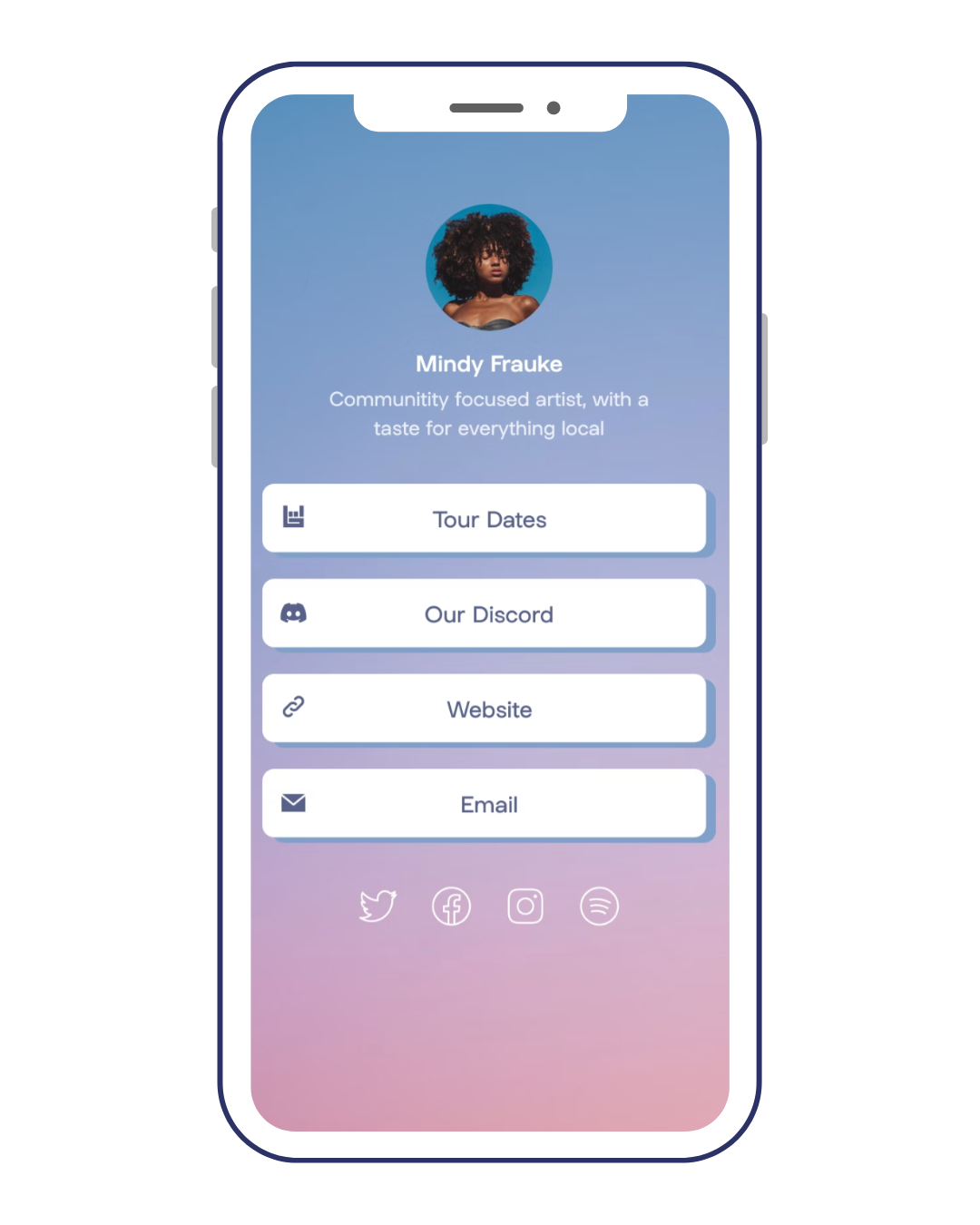
But what if you have multiple links you want to share? This is where bio link solutions for Instagram come into play. Services like 'Your Custom Link' allow you to create a single, customizable link that leads to a landing page with all your important links. This way, you can share multiple links without cluttering your bio.
So, are you ready to optimize your Instagram bio link for maximum impact? Remember, a well-optimized link can drive more traffic, increase engagement, and ultimately, boost your online presence. And with our comprehensive guide, 'Your Custom Link', you'll have all the tools you need to succeed.
Whether you're figuring out how to put a clickable link in your Instagram bio, how to put a link into your Instagram bio, or how to put a website link in your Instagram bio, we've got you covered. And if you're an Etsy seller wondering how to put an Etsy link in your Instagram bio, stay tuned for our special cases section. The world of social media is at your fingertips—let's make the most of it!
Understanding the Instagram Bio Link: Why It's Crucial for Your Online Presence
Ever wondered why your Instagram bio link is not working? Or perhaps you've been puzzled about how to get a clickable link on TikTok? If so, you're in the right place. In the digital age, your online presence is often your first impression, and your bio link is the digital handshake that connects your audience to your world. It's the bridge between your social media profiles and your website, blog, or any other online platform you want to drive traffic to. So, when your Instagram bio link isn't working, it's not just a minor glitch—it's a roadblock in your digital journey.
Understanding the Instagram bio link and its importance is the first step to optimizing your online presence. When your followers land on your Instagram profile, your bio link is one of the first things they see. It's a call to action, a beacon guiding them to explore more about you or your brand. A broken or unoptimized bio link can lead to missed opportunities, lost traffic, and a weakened online presence.
But don't worry, fixing your Instagram bio link and optimizing it for maximum impact is not as daunting as it might seem. And it's not just about Instagram. We'll also guide you on how to get a link in your TikTok bio, ensuring your online presence is strong across multiple platforms. So, whether you're dealing with bio link issues on Instagram or trying to figure out how to get a clickable link in your TikTok bio, we've got you covered.
Ready to dive in? Let's unravel the mystery of the Instagram bio link, understand why it might not be working, and discover how to fix it. And remember, a well-optimized bio link is more than just a URL—it's your gateway to digital success.
Common Issues with Instagram Bio Links: Why Yours Might Not Be Working
Ever clicked on an Instagram bio link only to be met with a dreaded error message? You're not alone. A common issue many users face is their Instagram bio link not working. This can be frustrating, especially when you're trying to drive traffic to a specific site or page. So, why does this happen?
There could be several reasons. Perhaps the link is broken, or the URL is too long and Instagram's system can't process it. Maybe the link violates Instagram's community guidelines, leading to it being blocked. Or it could be a simple case of a typo in the URL. Whatever the reason, a non-functional bio link can be a significant setback in your digital strategy.
But don't fret! There are ways to fix your Instagram bio link. You can start by double-checking the URL for any errors. If the link is too long, consider using a URL shortener. If Instagram has blocked the link, review their community guidelines and make sure your link complies. Remember, a well-functioning bio link is crucial for your online presence.
And it's not just Instagram. You might be wondering how to get a clickable link on TikTok. The process is similar, but with a few tweaks. TikTok, unlike Instagram, allows all users to add a clickable link to their bio. However, the link must comply with TikTok's community guidelines, and it must be a complete URL, including the ' part. So, if you're struggling to get a link in your TikTok bio, make sure you're following these rules.
Remember, your bio link is more than just a URL. It's a gateway to your digital world, a bridge connecting your social media presence to your website, blog, or other online platforms. So, whether you're dealing with bio link issues on Instagram or trying to get a clickable link in your TikTok bio, it's essential to ensure your links are working correctly and optimized for maximum impact.
So, ready to fix those pesky bio link issues and optimize your online presence? Let's dive into the next section where we'll guide you through the steps to troubleshoot and fix your Instagram bio link. And remember, a well-optimized bio link is your ticket to digital success.
Troubleshooting 101: Steps to Fix Your Instagram Bio Link
So, you've identified that your Instagram bio link is not working and you're ready to fix it. But where do you start? Let's dive into some practical steps to troubleshoot and resolve your Instagram bio link issues.
Firstly, ensure you've entered the correct URL. A simple typo can render your link useless. Double-check the spelling, punctuation, and any special characters. If you're confident the URL is correct but it's still not working, it might be too long. Instagram can struggle to process lengthy URLs, so consider using a URL shortener like bit.ly or tinyurl. These tools not only make your link more manageable but also allow you to track clicks, providing valuable insights into your audience's engagement.
Still facing issues? It's possible that your link violates Instagram's community guidelines. Instagram can block links leading to illegal content, adult content, or anything else that violates their policies. Review the guidelines and ensure your link complies. If it doesn't, you'll need to find an alternative link or risk having your account suspended.
Now, let's shift gears and talk about TikTok. Wondering how to get a clickable link in your TikTok bio? The process is similar to Instagram, but with a few key differences. TikTok requires a complete URL, including the ' part. Make sure your link adheres to TikTok's community guidelines, just like Instagram. If you're still struggling, remember that TikTok only allows clickable links for certain users, so check if you're eligible.
Remember, your bio link is more than just a URL. It's a crucial part of your online presence, a bridge connecting your social media followers to your website, blog, or other platforms. So, whether you're dealing with Instagram bio link issues or trying to get a clickable link on TikTok, it's essential to get it right.
Fixing your Instagram bio link might seem daunting, but with these steps, you're well on your way to optimizing your online presence. And remember, a well-optimized bio link is your ticket to digital success. Ready to take the next step? Let's move on to the next section where we'll discuss how to optimize your bio links for maximum impact.
Beyond Instagram: How to Get a Clickable Link on TikTok
Now that we've tackled the issues surrounding the Instagram bio link not working and how to fix it, let's expand our horizons and dive into the world of TikTok. Ever wondered how to get a clickable link on TikTok? Well, you're in the right place.
Just like Instagram, having a clickable link in your TikTok bio can significantly boost your online presence. It's a gateway that connects your TikTok followers to your website, blog, or other platforms. But, getting a clickable link on TikTok is not as straightforward as it seems.
Unlike Instagram, TikTok only allows certain users to add clickable links to their bios. So, the first step is to check your eligibility. Are you a TikTok Pro account holder? If not, consider upgrading. This feature is often available to Pro account holders and can be a game-changer for your online visibility.
Once you've confirmed your eligibility, the process is quite simple. Go to your profile, click on 'Edit profile', and then add your URL in the 'Instagram/Youtube' section. Remember, TikTok requires a complete URL, including the ' part.
But what if you're still facing issues? Just like Instagram, your link could be violating TikTok's community guidelines. Make sure your link doesn't lead to any content that violates TikTok's policies. If it does, you'll need to find an alternative link or risk having your account suspended.
So, whether you're trying to optimize your Instagram bio link or figuring out how to get a link in your TikTok bio, remember that your bio link is a powerful tool for driving traffic and boosting your online presence. It's not just about getting the link to work; it's about making it work for you. Ready to take your bio link game to the next level? Stay tuned for our next section where we'll discuss how to optimize your bio links for maximum impact.
Optimizing Your Bio Links: Tips for Instagram and TikTok
Now that we've got the basics covered, let's delve into the nitty-gritty of optimizing your bio links for Instagram and TikTok. Remember, the goal is not just to fix an Instagram bio link that's not working or figuring out how to get a clickable link in your TikTok bio. It's about turning these links into powerful assets that drive traffic, engage your audience, and amplify your online presence.
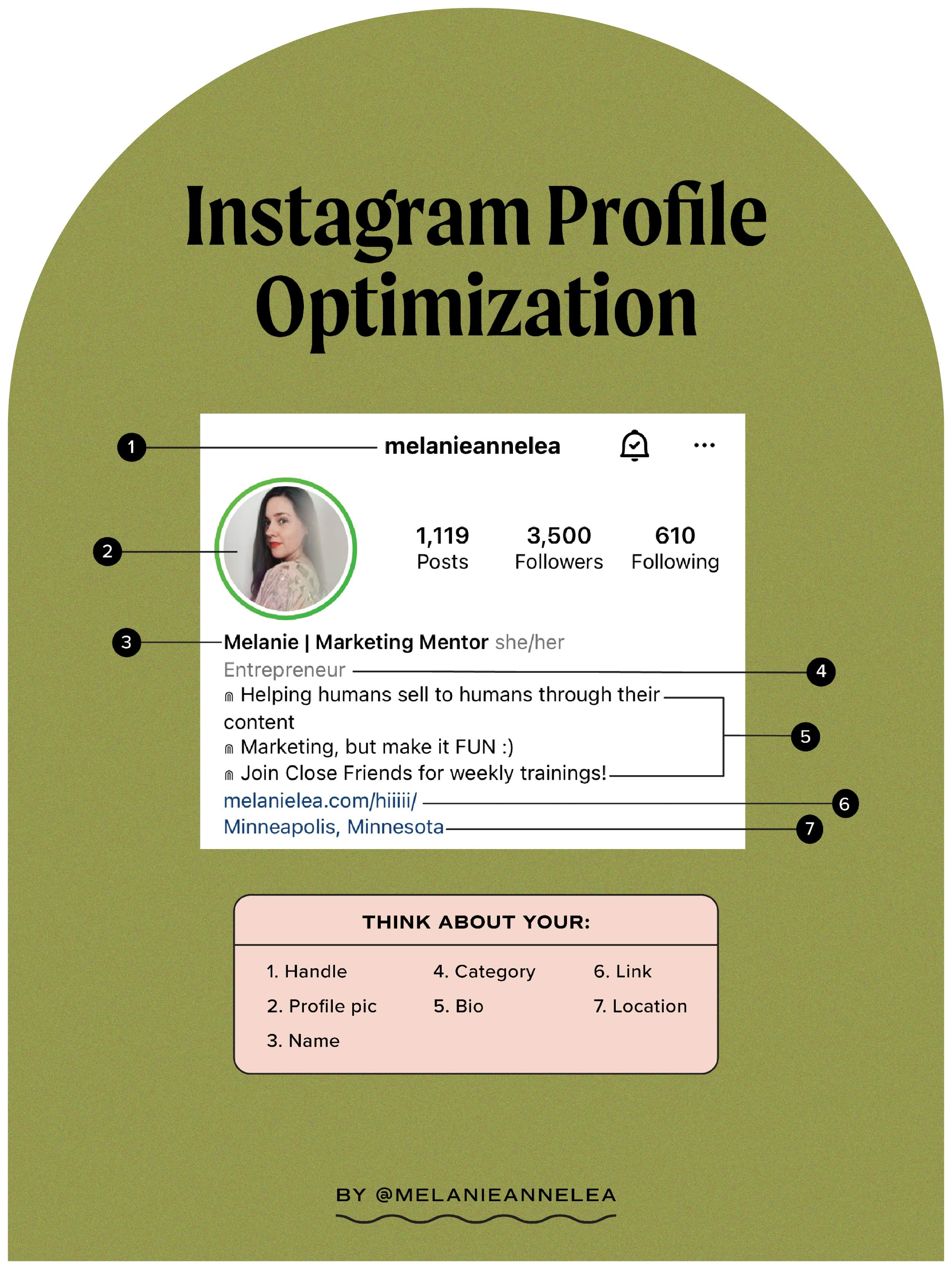
Firstly, let's talk about Instagram. Your Instagram bio link is prime real estate. It's the only place on Instagram where you can place a clickable link, so make it count! Ensure that it leads to a relevant landing page that aligns with your brand or current campaign. A common mistake is linking to your homepage, which can be overwhelming for visitors. Instead, consider linking to a specific product, blog post, or sign-up page. This way, you're guiding your audience towards a specific action, thereby increasing the chances of conversion.
Next, let's move on to TikTok. As we've mentioned before, getting a clickable link on TikTok isn't as straightforward. However, once you've got it, the same principles apply. Make sure your link leads to a relevant, engaging page. Consider using a link shortener to keep your bio neat and tidy. And remember, always ensure your link aligns with TikTok's community guidelines to avoid any bio link issues on TikTok.
But here's a pro tip: Why not use a link management tool like Your Custom Link? It allows you to manage and optimize all your bio links in one place. This way, you can easily track your performance, make necessary adjustments, and maximize your impact. Plus, it's a great solution for those pesky 'Instagram bio link not working' issues.
So, are you ready to transform your bio links from mere URLs to powerful marketing tools? Remember, it's not just about getting the link to work; it's about making it work for you. And with the right approach, you can turn your bio links into a gateway to success.
Your Custom Link: The Ultimate Solution for Bio Link Issues on Instagram and TikTok
Stepping into the world of Your Custom Link, you'll find a comprehensive solution to all your bio link issues on Instagram and TikTok. This tool is not just about fixing a broken Instagram bio link or figuring out how to get a clickable link on TikTok. It's about transforming these links into powerful marketing tools that amplify your online presence and drive meaningful engagement.
Imagine this: You've got a fantastic Instagram post that's getting plenty of likes and comments. But your bio link, which should be directing traffic to your latest product or blog post, isn't working. Frustrating, isn't it? With Your Custom Link, you can easily manage and optimize your Instagram bio link, ensuring it's always up and running. Plus, it provides valuable insights into your link's performance, helping you make data-driven decisions to boost your conversions.
And what about TikTok? You've finally figured out how to get a link in your TikTok bio, but is it really doing its job? Your Custom Link takes the guesswork out of the equation. It helps you create a neat, clickable link that aligns with TikTok's community guidelines, preventing any potential bio link issues on TikTok. Plus, it allows you to track your link's performance, so you can adjust your strategy as needed and maximize your impact.
But that's not all. Your Custom Link is a dynamic tool that grows with you. As your brand evolves and your campaigns change, you can easily update your links to reflect your current focus. No more worrying about broken links or outdated content. Your bio links will always be relevant, engaging, and optimized for success.
So, are you ready to take control of your bio links? With Your Custom Link, you can turn these simple URLs into powerful assets that drive traffic, engage your audience, and amplify your online presence. Remember, it's not just about fixing an Instagram bio link that's not working or figuring out how to get a clickable link on TikTok. It's about making these links work for you.
So, why settle for less when you can have the ultimate solution for bio link issues on Instagram and TikTok? Embrace the power of Your Custom Link and transform your bio links into a gateway to success.
Final Thoughts: Harnessing the Power of Bio Links for Social Media Success
As we've journeyed through the world of bio links, it's clear that these tiny URLs hold immense power. They are the bridges that connect your social media presence to the wider universe of your brand. But what happens when these bridges are broken? When your Instagram bio link is not working or you're struggling to figure out how to get a clickable link on TikTok? The traffic stops. The connection is lost. And your brand suffers.
But it doesn't have to be this way. With Your Custom Link, you can not only fix your Instagram bio link and create a clickable link on TikTok, but you can also optimize these links for maximum impact. Imagine a world where your bio links are not just functioning, but thriving. A world where your links are driving traffic, engaging your audience, and boosting your conversions. This is the world that Your Custom Link can help you create.
And the best part? Your Custom Link is not a static tool, but a dynamic partner that evolves with your brand. As your campaigns change, as your focus shifts, Your Custom Link is there to ensure that your bio links reflect your current reality. No more broken links. No more outdated content. Just relevant, engaging, and optimized bio links that amplify your online presence.
So, what's stopping you? Are you ready to harness the power of bio links for social media success? Whether you're dealing with a broken Instagram bio link or trying to figure out how to get a clickable link on TikTok, Your Custom Link is the solution you've been waiting for. Don't just fix your bio links. Optimize them. Transform them. Make them work for you. With Your Custom Link, the power is in your hands.
Remember, in the digital world, every link matters. So, make sure your bio links are not just working, but winning. Embrace the power of Your Custom Link and turn your bio links into a gateway to success. The journey starts here. Are you ready to take the first step?

No comments yet. Be the first to share your thoughts!