

The problem with native social analytics
If you launch a product on Instagram, the native Insights might show profile views, but they rarely tell you who actually landed on your sales page. Relying on these basic metrics is like trying to measure rainfall with a teaspoon.
Instagram, TikTok, and LinkedIn all offer some level of analytics, but they’re designed to keep you on their platforms, not to provide a holistic view of your audience’s journey. They each track different metrics, use different attribution models, and present data in different ways. This makes it incredibly difficult to compare performance across networks and understand what’s truly driving results.
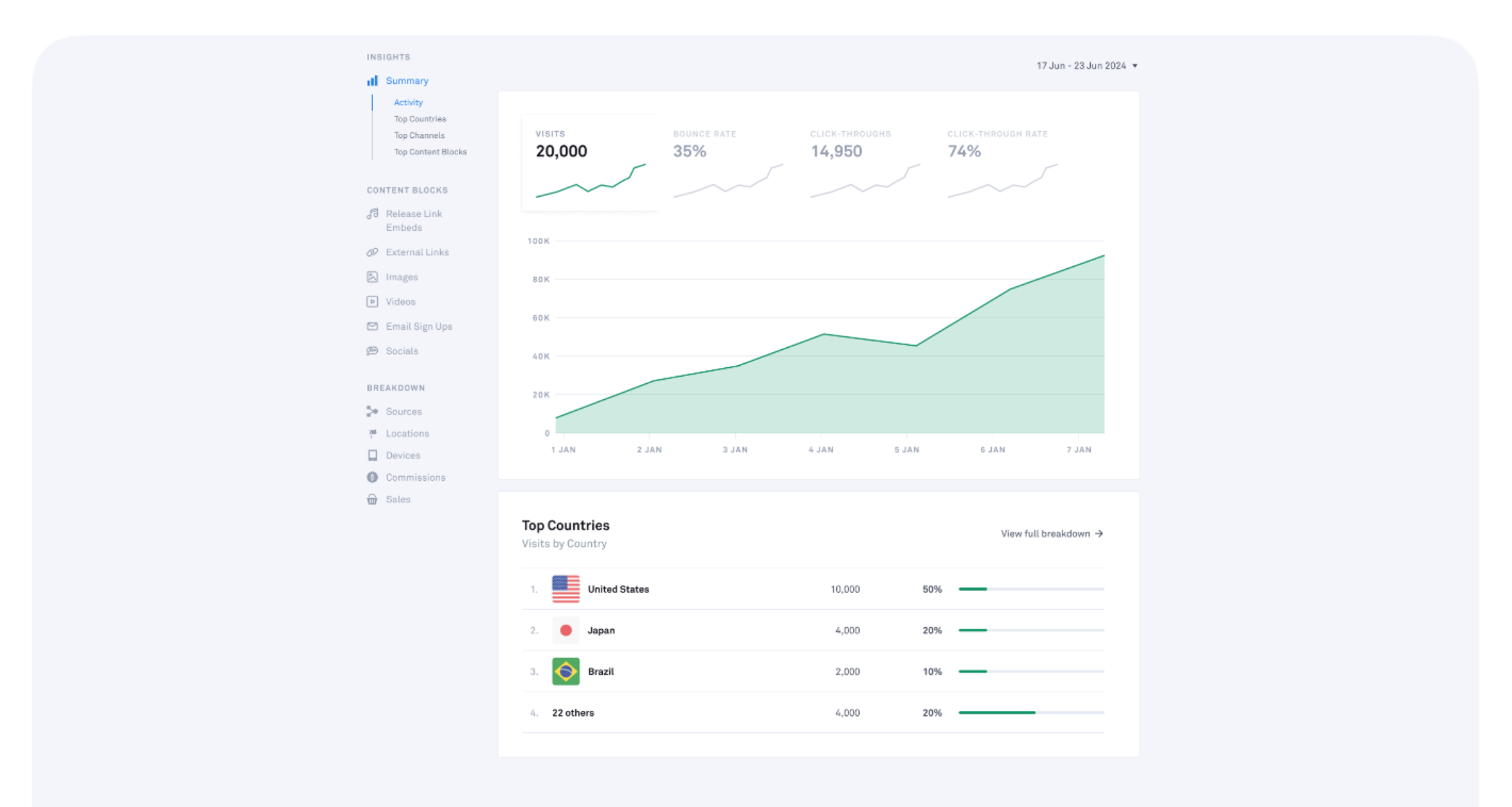
A dedicated link tool is necessary if you want to see your data in one place. These apps track clicks and user behavior so you can see which links actually work. Since most of us post across three or four different apps, we need a way to compare them side-by-side.
We're seeing a shift towards a more data-driven approach to social media. Gut feelings and anecdotal evidence just aren't enough anymore. You need concrete data to make informed decisions about your content strategy, your offers, and your overall marketing efforts. Bio link analytics provides that data.

Why tracking across platforms is a mess
Managing links across Instagram, TikTok, and LinkedIn is a logistical headache. Each platform treats links differently. Instagram, for a long time, only allowed one link in your bio, forcing you to choose between promoting your latest blog post, your YouTube channel, or your online store. TikTok similarly restricts direct linking, pushing users towards the bio as a central hub.
LinkedIn allows links in posts and articles, but tracking clicks can be more difficult without a dedicated solution. Each platform also attracts a different demographic with varying content preferences. What works on TikTok won’t necessarily work on LinkedIn, and vice versa. This means you need to tailor your links and your messaging to each audience.
Manually tracking link performance on each platform is incredibly time-consuming and prone to errors. Imagine creating a spreadsheet to record clicks from each source – it quickly becomes unwieldy and unreliable. The rise of the "link-in-bio" as a central hub for all your important links only exacerbates this problem. You need a unified analytics solution to make sense of it all.
The core issue is a lack of standardization. There’s no universal way to track clicks and conversions across platforms. This is where specialized bio link tools come in, offering a consistent and reliable way to measure your performance.
Metrics that actually move the needle
Beyond simple click counts, which are a good starting point, you need to dig deeper into the data. Click-through rate (CTR) per link is a crucial metric. It tells you what percentage of people who view your bio actually click on a specific link. A low CTR suggests that your link copy or call to action needs improvement.
Understanding the geographic distribution of clicks is also vital. If you’re running a local business, you want to see clicks coming from your target area. If you’re targeting a specific country, you want to ensure your links are resonating with that audience. This data informs your ad targeting and content localization efforts.
Device type (mobile vs. desktop) is another important factor. Most social media users are on mobile, but you need to ensure your landing pages are optimized for both devices. Referral source goes beyond just the platform. Was the click a direct result of an Instagram story? A post? Or a paid ad? Knowing where your traffic comes from allows you to focus your marketing spend effectively.
Conversion tracking, if possible, is the holy grail. This involves tracking what happens after someone clicks your link – do they make a purchase, sign up for a newsletter, or download a resource? This requires integrating your bio link tool with your website analytics platform. Finally, we are starting to see the emergence of session duration on linked landing pages as a key metric, offering insight into engagement beyond the initial click.
- Click-through rate (CTR): The percentage of profile visitors who actually tap a link.
- Geographic Distribution: Where clicks originate.
- Device Type: Mobile vs. desktop.
- Referral Source: Origin of the click (e.g., Instagram Story, post).
- Conversion Tracking: Actions taken after clicking (e.g., purchase, sign-up).
- Session Duration: Time spent on the linked landing page.
Usefulness of Bio Link Metrics by Marketing Goal (2026 Projection)
| Metric | Brand Awareness | Lead Generation | Direct Sales |
|---|---|---|---|
| Click-Through Rate (CTR) | High | High | Medium |
| Location Data (Geography) | Medium | Medium | Low |
| Device Type (Mobile/Desktop) | Low | Medium | Medium |
| Link Destination | Medium | High | High |
| Time of Day (Click Timing) | Low | Medium | Medium |
| Referring Platform (Instagram, TikTok, LinkedIn) | High | Medium | Low |
| Total Clicks | Medium | Medium | High |
| Unique Visitors | Medium | High | Medium |
Illustrative comparison based on the article research brief. Verify current pricing, limits, and product details in the official docs before relying on it.
Tools for Cross-Platform Analytics
Several options are available for cross-platform bio link analytics. Lnk.Bio stands out with its focus on multiple links and detailed analytics. They boast support for over 1,500,000 creators and brands, offering features like link customization and performance tracking. It’s a solid choice for those who need a dedicated solution with robust features.
Squarespace also offers a built-in link-in-bio functionality, as highlighted in a recent Big Cat Creative tutorial on YouTube (published April 28, 2025). This is a convenient option for Squarespace users, as it integrates seamlessly with their website builder. However, it lacks the depth and flexibility of dedicated tools like Lnk.Bio. The Squarespace offering is best suited for simple link management and basic analytics.
Other tools like Taplink and Shorby offer similar features, but each has its own strengths and weaknesses. Taplink focuses on creating visually appealing "mini-websites" within your bio, while Shorby emphasizes team collaboration. The best tool for you depends on your specific needs and budget. I've found that Lnk.Bio provides the most comprehensive analytics, but it comes at a higher price point.
Ultimately, the key is to choose a tool that provides the metrics you need to track your performance and make informed decisions. Don't get caught up in feature bloat; focus on the essentials. Consider factors like ease of use, integration with your existing tools, and customer support when making your decision.
Decoding UTM Parameters & Link Tagging
UTM (Urchin Tracking Module) parameters are snippets of code you add to the end of your links to track the source of your traffic. They’re a fundamental part of digital marketing, but they can seem intimidating at first. Think of them as labels that tell your analytics platform where a visitor came from. For example, you might add a UTM parameter to a link you share in an Instagram story to track how many clicks it generates.
A well-structured UTM parameter looks like this: `?utm_source=instagram&utm_medium=story&utm_campaign=spring_sale`. Let’s break it down: `utm_source` identifies the source of the traffic (e.g., Instagram), `utm_medium` identifies the medium (e.g., story), and `utm_campaign` identifies the specific campaign (e.g., spring sale). Consistency is key – use the same naming conventions across all your platforms.
Here's a step-by-step guide: 1. Choose a consistent naming convention. 2. Use a UTM builder tool (many are available online). 3. Add the UTM parameters to the end of your link. 4. Test the link to ensure it’s tracking correctly. While UTMs are powerful, they can become messy if you’re not careful. Consider using branded short links with built-in tracking as an alternative for simpler campaigns.
The biggest challenge with UTMs is maintaining consistency across teams and campaigns. A single typo can throw off your data. That’s why it’s important to establish clear guidelines and use a UTM builder tool to avoid errors.
Attribution Modeling: Connecting Clicks to Conversions
Attribution modeling is the process of assigning credit for a conversion to different touchpoints in the customer journey. In the context of bio links, this means determining which clicks ultimately led to a sale, a lead, or another desired outcome. It’s a complex topic, and there’s no one-size-fits-all solution.
Different attribution models exist. First-click attribution gives all the credit to the first click a customer makes. Last-click attribution gives all the credit to the last click. Linear attribution distributes credit evenly across all clicks. Time decay attribution gives more credit to clicks that occurred closer to the conversion. Each model has its own strengths and weaknesses.
The challenge with accurate attribution in a multi-channel world is that customers often interact with your brand through multiple touchpoints before converting. It’s difficult to isolate the impact of a single bio link click. I’m not sure about the availability of sophisticated attribution modeling within most bio link tools in 2026, but it’s an area to watch.
Setting realistic expectations is crucial. Bio link analytics can provide valuable insights into your audience’s behavior, but it’s unlikely to provide a complete picture of the customer journey. Focus on tracking key metrics and using the data to optimize your links and your overall marketing strategy.



No comments yet. Be the first to share your thoughts!