

The new bio link game
TikTok Shop changed the app from a traffic source into a storefront. You don't have to send people to an external site anymore because they can buy right in the feed. If you're still treating TikTok like a billboard instead of a register, you're losing sales to friction.
For years, TikTok users were limited to a single link in their bio, often directing to a website, a Linktree page, or another social media profile. This created a bottleneck for brands trying to promote multiple products or campaigns. TikTok Shop bypasses this limitation, allowing merchants to showcase and sell products directly through their profile. The result? A more immediate path to purchase and potentially higher conversion rates.
The potential here is substantial. TikTok’s algorithm favors engaging content, and the ability to tag products directly within videos means users can go from discovery to checkout with minimal friction. This isn’t simply an add-on to existing e-commerce efforts; it’s a new channel with its own unique dynamics. Understanding and leveraging these dynamics is now essential for success.
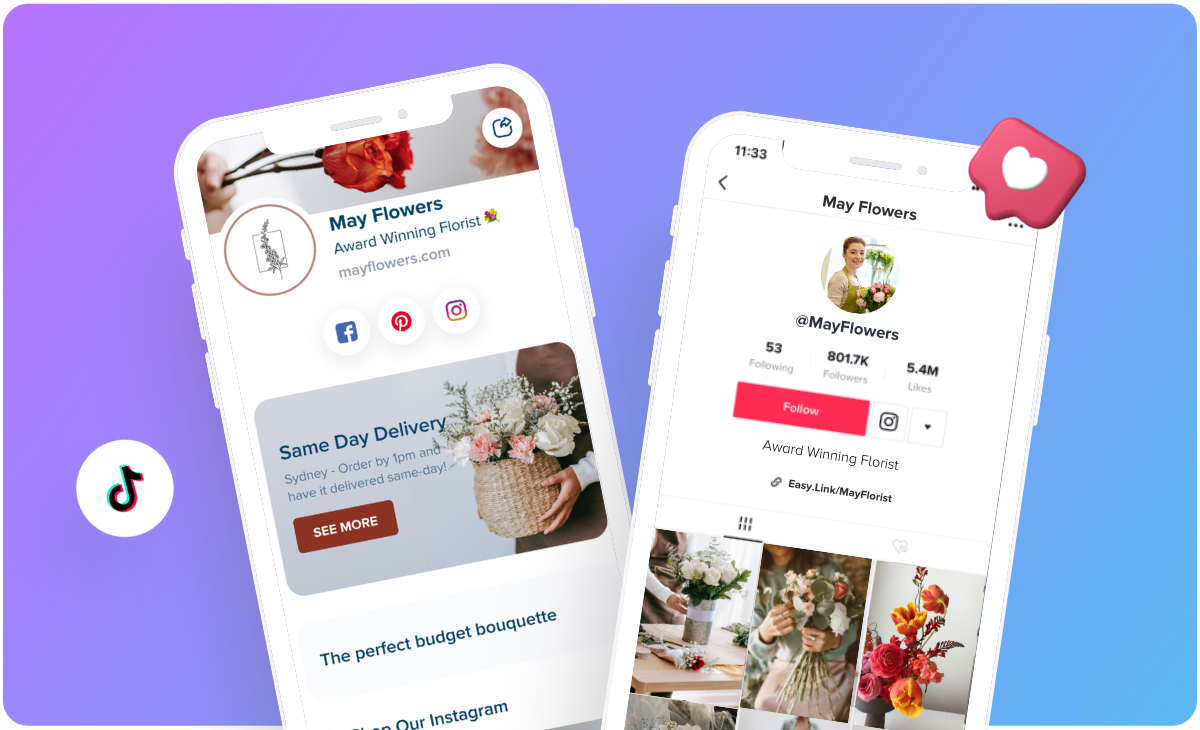
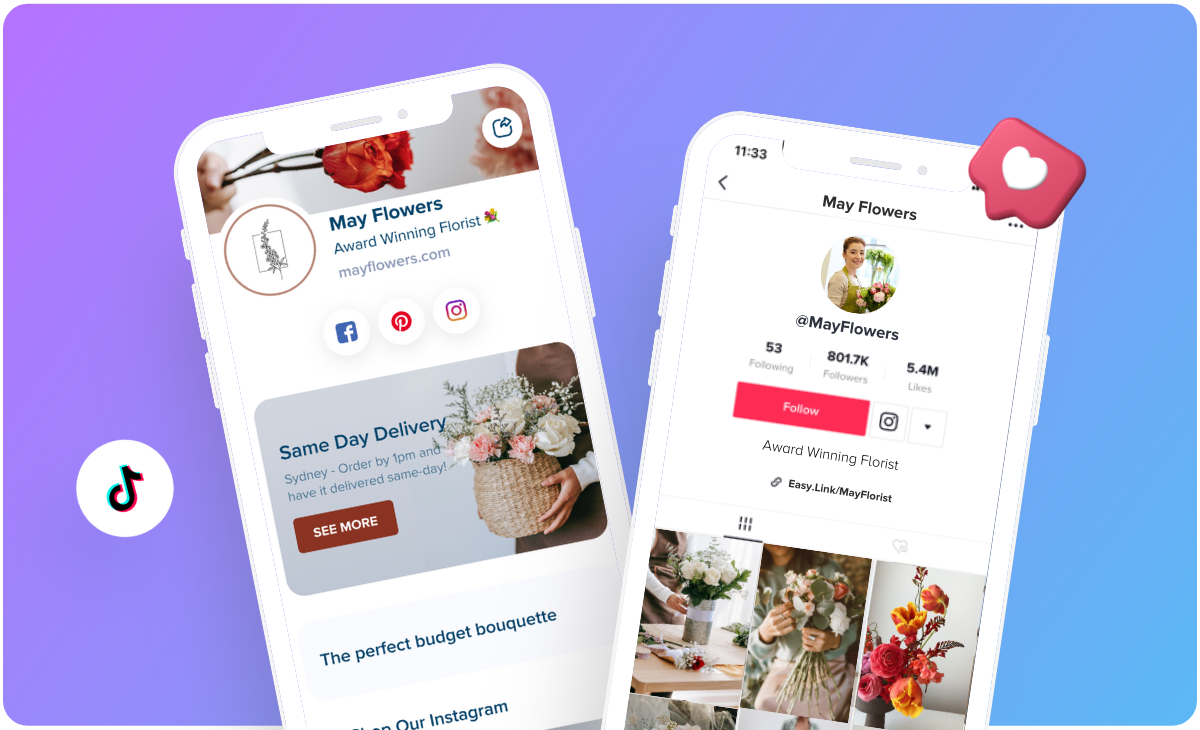
How to add the shop to your link
Connecting your TikTok Shop to your bio link is a relatively straightforward process, though it requires a bit of setup. According to TikTok’s official support documentation (support.tiktok.com), the first step is ensuring you have a TikTok Shop established and approved. Eligibility requirements vary by region, so it's important to check the specific guidelines for your location.
Once your shop is approved, navigate to your TikTok profile. Tap "Edit Profile’ and you’ll see an option to ‘Link a website or social media account.’ Selecting this will reveal the option to connect your TikTok Shop. You can choose to link directly to your shop"s homepage, or to a specific product page. This flexibility is valuable for targeted campaigns.
The exact interface may change, but the core process remains consistent. If you don’t meet the eligibility requirements for TikTok Shop, you’ll need to address those before you can proceed. This might involve providing additional business documentation or meeting a minimum follower count. If you're encountering issues, TikTok's help center is the best place to find updated instructions and troubleshooting advice.
Linking to a specific product is particularly useful for time-sensitive promotions or highlighting new arrivals. Linking to the shop itself provides a broader overview of your offerings. I think a combined strategy is best – utilizing specific product links in videos and the overall shop link in your bio.
- Get your shop approved through the TikTok Seller Center.
- Go to "Edit Profile" on your TikTok account.
- Select "Link a website or social media account."
- Choose to link your TikTok Shop homepage or a specific product.
- Save your changes.
Mixing shop links with other goals
Even with a fully functional TikTok Shop integrated into your bio link, it doesn’t mean you should abandon all other links. A balanced approach is often the most effective. Consider your overall marketing goals. Are you primarily focused on direct sales through TikTok Shop, or are you trying to build brand awareness and drive traffic to other platforms?
Link-in-bio tools, like Your Custom Link, can be invaluable here. They allow you to create a mini-hub with multiple options – your TikTok Shop, your website, your Instagram profile, a recent blog post, and more. This gives users choices and allows you to tailor the experience to different campaign objectives.
I believe prioritizing the TikTok Shop link is a good idea when you’re running specific promotions or launching new products. However, don’t neglect the importance of driving traffic to your other channels. A diversified strategy is more resilient and allows you to reach a wider audience.
TikTok Bio Link Destinations
- TikTok Shop - Direct users to your TikTok Shop to browse and purchase products directly within the TikTok ecosystem. Essential for businesses prioritizing in-app sales.
- Website - Link to your primary website for a more comprehensive brand experience, detailed product information, and potentially higher average order values. Useful for established brands with robust online stores.
- Instagram - Drive traffic to your Instagram profile to leverage existing followers and cross-promote content. Effective for brands with a strong Instagram presence.
- YouTube - Send viewers to your YouTube channel for longer-form video content, tutorials, or brand storytelling. Ideal for businesses utilizing video marketing extensively.
- Email Signup - Capture leads by directing users to a landing page to subscribe to your email list. Valuable for building a customer database and running email marketing campaigns.
- Special Promotion/Landing Page - Highlight limited-time offers, new product launches, or specific campaigns with a dedicated landing page. Great for driving targeted action and tracking campaign performance.
- Linktree or Similar Service - Utilize a link-in-bio tool to consolidate multiple links into a single, organized page. Useful when you have numerous destinations to share.
Product Showcase: What Sells Best?
Certain types of products seem to perform exceptionally well on TikTok Shop. Visually appealing items, particularly in the beauty, fashion, and home goods categories, tend to see higher engagement and conversion rates. This makes sense given TikTok’s emphasis on visual content.
Products that solve a specific problem or offer a unique solution also do well. Think innovative gadgets, niche beauty products, or items that cater to a specific hobby or interest. Short-form video content is crucial for showcasing these products effectively. Demonstrations, tutorials, and before-and-after transformations are all highly engaging.
People on the app trust other customers more than your polished ads. I've seen brands double their sales just by reposting a customer's unboxing video. Ask your buyers to film themselves using the product and put those clips front and center.
Successful campaigns often leverage TikTok’s trends and challenges. Participating in relevant trends can increase visibility and reach a wider audience. It's a bit of a gamble, but when it works, it can be incredibly effective. There’s a lot to be said for being nimble and adapting to the platform’s ever-changing landscape.
Tracking & Analytics: Measuring Success
Tracking the performance of your TikTok Shop link is essential for understanding what’s working and what’s not. Important metrics to monitor include clicks, views, purchases, conversion rate, and average order value. TikTok provides some native analytics within the Shop Seller Center, but these can be limited.
The native Seller Center data is pretty thin. I prefer using UTM parameters on every link. If you add a code like `?utm_source=tiktok&utm_medium=bio`, you can see exactly which video paid for your lunch in Google Analytics.
For example, you could use a UTM code like `?utm_source=tiktok&utm_medium=bio&utm_campaign=springsale` to track traffic from your bio link during a spring sale. This allows you to see how much revenue is directly attributable to your TikTok bio link, helping you justify your investment in the platform.
TikTok Analytics Comparison: Native vs. Third-Party Tools (2026)
| Platform | Cost | Data Depth | Reporting Features | Integration with Other Platforms |
|---|---|---|---|---|
| TikTok Native Analytics | Generally included with TikTok Business Account (feature availability may vary) | Provides core metrics on video views, profile views, follower growth, and basic audience demographics. | Offers standard reporting on content performance and account overview. Limited customization options. | Direct integration with TikTok features; limited integration with external platforms. |
| Your Custom Link | Offers various plans based on link volume and features. | Focuses on link click data, traffic sources, and audience behavior *after* clicking the bio link. Provides insights into destination performance. | Customizable dashboards, detailed analytics on link clicks, and the ability to A/B test different link destinations. | Integrates with multiple social media platforms, email marketing services, and analytics tools. |
| Hootsuite | Subscription-based, with plans varying by features and social accounts managed. | Offers broader social media analytics, including TikTok, with a focus on engagement, reach, and audience demographics. | Provides comprehensive reporting, scheduling, and team collaboration features. Customizable reports available. | Integrates with a wide range of social networks, scheduling tools, and CRM systems. |
| Sprout Social | Subscription-based, tiered pricing based on features and user count. | Provides in-depth social media analytics, including TikTok, with a focus on engagement, brand monitoring, and customer care. | Offers robust reporting, social listening, and team collaboration features. Advanced analytics and visualization options. | Integrates with various social media platforms, CRM systems, and marketing automation tools. |
| TikTok Business Suite (potential evolution) | Likely subscription-based, building on current TikTok Ads Manager features. | Expected to offer expanded analytics capabilities, potentially including deeper e-commerce tracking and attribution data. | Anticipated to include more customizable reporting and insights related to TikTok Shop performance. | Will likely integrate more closely with TikTok's advertising platform and potentially other ByteDance products. |
Illustrative comparison based on the article research brief. Verify current pricing, limits, and product details in the official docs before relying on it.
What to expect by 2026
Looking ahead to 2026, I anticipate TikTok Shop will continue to evolve and become even more integrated into the TikTok experience. We might see the introduction of new features like live shopping events with exclusive deals, or more sophisticated personalization algorithms that recommend products based on user behavior.
Competition from other platforms like Instagram and YouTube will likely intensify. These platforms are already investing heavily in e-commerce features, and they’ll be looking to capture market share from TikTok. The platform that can offer the most seamless and engaging shopping experience will likely come out on top.
The potential impact of AI and personalization is also significant. AI-powered product recommendations, virtual try-on features, and personalized shopping experiences could become commonplace. While predicting the future is always uncertain, it’s clear that TikTok commerce is poised for continued growth and innovation.
Troubleshooting Common Bio Link Issues
Broken links are a common headache. Always double-check your link after making changes, and use a link checker tool to ensure it’s working correctly. Incorrect redirects can also be problematic. Make sure your link is pointing to the correct destination, whether it’s your TikTok Shop homepage or a specific product page.
Difficulties with link-in-bio tools can arise from technical glitches or compatibility issues. Check the tool's documentation or contact their support team for assistance. It’s also important to be aware of TikTok’s community guidelines, which prohibit certain types of content and links.
Violating these guidelines could result in your account being suspended or your link being removed. Always ensure your content is appropriate and complies with TikTok’s policies. The TikTok help center is a valuable resource for understanding these guidelines.

No comments yet. Be the first to share your thoughts!