

Your bio link is a digital doorway
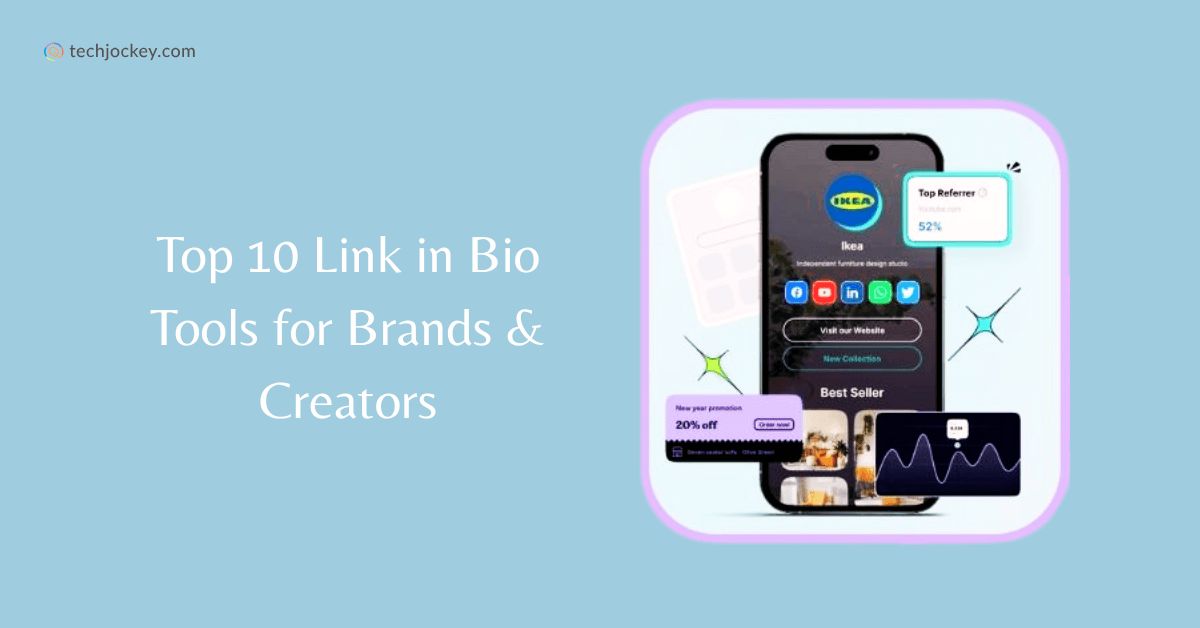
The "link in bio’ has evolved. It started as a necessary workaround – Instagram famously limited users to a single link in their profile. Early solutions were simple lists, often feeling like digital afterthoughts. But now, your bio link is prime real estate, a digital doorway to your entire online presence. It"s no longer acceptable for it to be an unbranded afterthought.
A branded bio link experience is about more than just convenience; it's about maintaining audience engagement and reinforcing your brand identity. Think of it as an extension of your social media feed, a place where your aesthetic and messaging continue seamlessly. When a user clicks that link, they should feel like they’re still with you, not transported to a generic landing page.
Older tools like Linktree certainly served a purpose, but they often lacked the customization options needed to truly reflect a brand. Users quickly realized the limitations of these one-size-fits-all solutions. Expectations have shifted. People now expect a polished, professional experience, even in a seemingly small space like a bio link. This demand has driven the need for more sophisticated platforms.
Design for clicks, not just looks
Good design isn’t just about making things look pretty – it’s about guiding the user's eye and making the desired action, usually clicking a link, as effortless as possible. Visual hierarchy is key. Important links should be prominent, while less critical information can be subtly presented. Consider using size, color, and placement to create a clear path for the user.
Color psychology plays a surprisingly large role. The colors you choose evoke specific emotions and associations. For example, blue often conveys trust and reliability, while red can signal excitement or urgency. Typography is equally important. Select fonts that are legible and align with your brand’s personality. Don't overload the page with too many different fonts; stick to a maximum of two or three.
Whitespace – the empty space around elements – is often underestimated. It provides breathing room, improves readability, and prevents the design from feeling cluttered. A clean, uncluttered design feels more professional and inviting. And, critically, always design for mobile first. The vast majority of users will be viewing your bio link on a smartphone, so ensure it's fully responsive and looks great on smaller screens.
To help you get started, consider this checklist:
- Write clear calls to action that tell people exactly what to do.
- Use high-quality visuals.
- Maintain brand consistency.
- Ensure mobile responsiveness.
- Optimize for fast loading speeds.
Ditch the link in bio stigma with custom domains
Generic short links look like spam. A custom domain like yourbrand.com/links is cleaner and tells people exactly where they're going. It's a small change, but it makes your profile look like a real business rather than a hobbyist using free tools.
Connecting a custom domain to Your Custom Link is a straightforward process, though it does involve a few technical steps. You’ll need access to your domain registrar’s DNS settings to update the records. Your Custom Link provides detailed instructions and support to guide you through this process. Potential hurdles include incorrect DNS propagation or issues with your domain registrar’s interface.
Beyond the branding benefits, a custom domain also helps overcome the slightly awkward feeling of constantly saying “link in bio.” Instead of directing people to a generic link, you can simply tell them to visit your own branded URL. It feels more natural and less transactional. It’s a subtle but important psychological shift.
Advanced tweaks for power users
Most bio link platforms offer basic customization options like color schemes and button styles. But to truly stand out, you need to go beyond these limitations. Your Custom Link allows for more advanced customization, including the ability to add custom CSS. This is where users comfortable with coding can really unleash their creativity, tailoring every aspect of the design to their exact specifications.
You can also embed videos and forms directly into your bio link page. This is incredibly powerful for lead generation or showcasing your work. Imagine embedding a contact form directly on your profile, allowing potential clients to reach out without leaving the platform. Or showcasing a product demo video right there on your link page.
Creating interactive elements is another way to elevate your bio link experience. Polls, quizzes, and even simple games can capture attention and encourage engagement. However, there’s a trade-off between ease of use and complete customization. More advanced features often require more technical expertise. Your Custom Link aims to strike a balance, providing powerful customization options without being overly complex.
A/B testing is crucial for optimizing your bio link design. Experiment with different headlines, images, and calls to action to see what resonates best with your audience. Your Custom Link provides built-in A/B testing tools, allowing you to track performance and make data-driven decisions. Here's a step-by-step guide to A/B testing:
1. Define your goal (e.g., increase click-through rate on a specific link). 2. Create two versions of your bio link page with one element changed. 3. Run the test for a set period. 4. Analyze the results and implement the winning version.
Track what actually works
Tracking key metrics is essential for understanding how your bio link is performing. Click-through rates (CTR) tell you how many people are clicking on your links, while bounce rates indicate how many people are leaving your page without interacting further. Conversion rates measure how many people are completing a desired action, such as filling out a form or making a purchase.
The Your Custom Link dashboard shows which buttons actually get clicked. I use this to prune links that nobody touches, keeping the page lean. If a link has a high click rate but a high bounce rate, I know the destination page is the problem, not the bio link itself.
Don’t stop at the platform’s built-in analytics. Integrate with Google Analytics for more detailed tracking and reporting. This allows you to segment your audience, track their behavior across multiple platforms, and gain a deeper understanding of their preferences. This integration provides a more holistic view of your marketing efforts.
Here's a sample analytics table:
- Click-through rate (CTR) is the percentage of visitors who actually click a link.
- Click-Through Rate (CTR): | Percentage of visitors who click a link. | 5%
- Bounce Rate: | Percentage of visitors who leave without interacting. | 60%
- Conversion Rate: | Percentage of visitors who complete a desired action. | 2%
Bio Link Analytics vs. General Web Analytics: A Comparison
| Feature | Your Custom Link Analytics | Google Analytics | Considerations |
|---|---|---|---|
| Data Focus | Specifically designed for link-in-bio performance | Broad website traffic analysis | Your Custom Link provides insights directly relevant to bio link strategy. |
| Data Granularity | Detailed click data per link, source platform | Aggregated website data, requires configuration for link tracking | Your Custom Link offers more focused data for bio links, while Google Analytics requires setup to isolate this traffic. |
| Ease of Use | Simplified dashboard focused on link performance | Steeper learning curve, complex interface | Your Custom Link is generally easier to use for those solely focused on bio link management. |
| Integration | Directly integrated with Your Custom Link platform | Requires implementation via tracking codes and potentially Google Tag Manager | Your Custom Link's integration is seamless within its ecosystem, Google Analytics requires technical setup. |
| Cost | Included with Your Custom Link subscriptions | Free version available, paid versions for advanced features | Cost depends on the scale of needs and whether premium Google Analytics features are required. |
| Reporting | Pre-built reports focused on bio link clicks and conversions | Customizable reports, requires configuration | Your Custom Link offers ready-made reports, while Google Analytics allows for highly customized reporting. |
| Attribution | Directly attributes clicks to the bio link source | Requires careful setup to attribute traffic correctly | Your Custom Link simplifies attribution for bio link clicks. |
Qualitative comparison based on the article research brief. Confirm current product details in the official docs before making implementation choices.
Tailoring your link for TikTok and Instagram
Bio link optimization isn’t a one-size-fits-all approach. Each platform has its own unique characteristics and requires a tailored strategy. TikTok, with its focus on short-form video content, demands a different approach than Instagram, which is primarily image-centric. On TikTok, your bio link should primarily drive traffic to your most important video or campaign.
Instagram, on the other hand, allows for more flexibility. You can use your bio link to promote multiple links, showcase your latest blog posts, or drive traffic to your online store. Hashtag strategies also differ. On TikTok, relevant hashtags can help increase visibility, while on Instagram, they’re more about categorization and searchability.
Calls to action are equally important. On TikTok, a clear and concise call to action in your video is crucial for driving traffic to your bio link. On Instagram, you can use captions and stories to promote your link. Newer platforms like BeReal present a unique challenge. Since the platform emphasizes authenticity and spontaneous content, a highly polished bio link might feel out of place. Experimentation is key.

No comments yet. Be the first to share your thoughts!